

Connect LLTwoBot (Satori)
LLTwoBot is a multi-protocol implementation based on QQNT (OneBot v11 + Satori), allowing AstrBot to communicate with QQ via Satori.
- Please control message frequency responsibly.
- This project must not be used for illegal purposes.
Preparation
First complete basic setup using official LLTwoBot documentation:
Make sure you have:
- Installed LLTwoBot.
- Logged into a QQ account successfully.
Configure Satori in LLTwoBot
After QQ login succeeds, open LLTwoBot WebUI:
Default WebUI URL: http://localhost:3080/
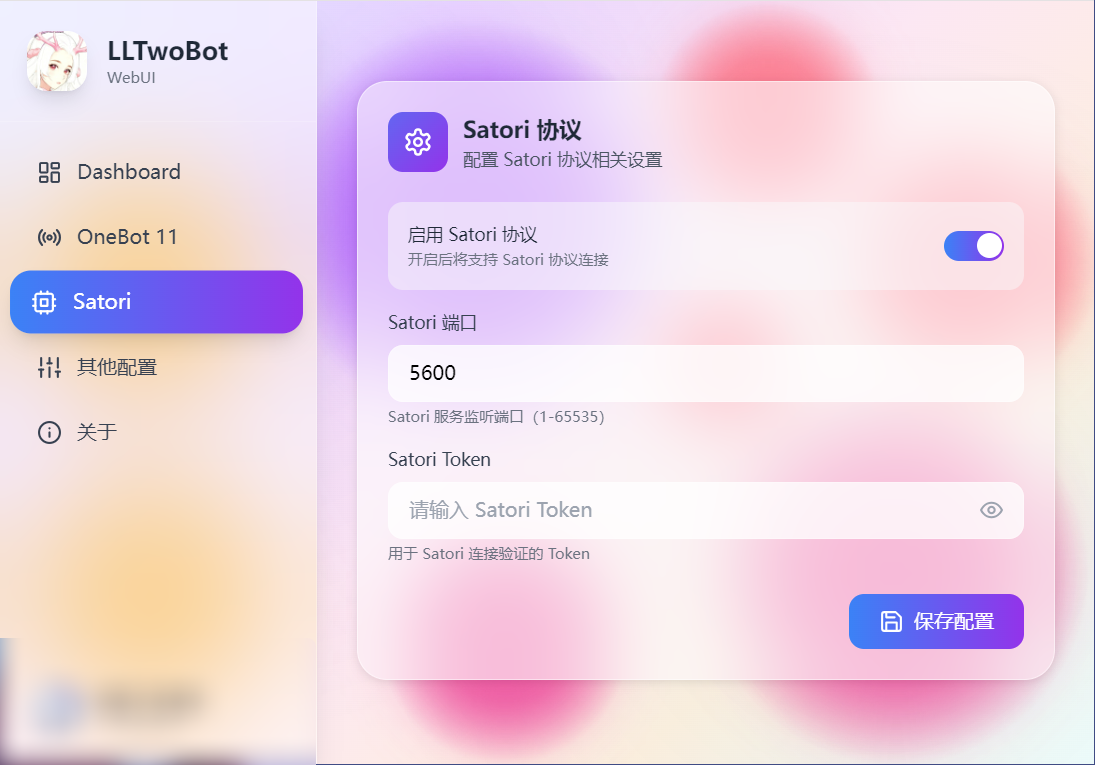
In the WebUI sidebar, open the Satori tab and configure:
- Enable Satori protocol.
- Port defaults to
5600. - Set Satori token if needed.
- Click Save.
Configure Satori Adapter in AstrBot
- Open AstrBot Dashboard.
- Click
Bots. - Click
+ Create Bot. - Select
satori.
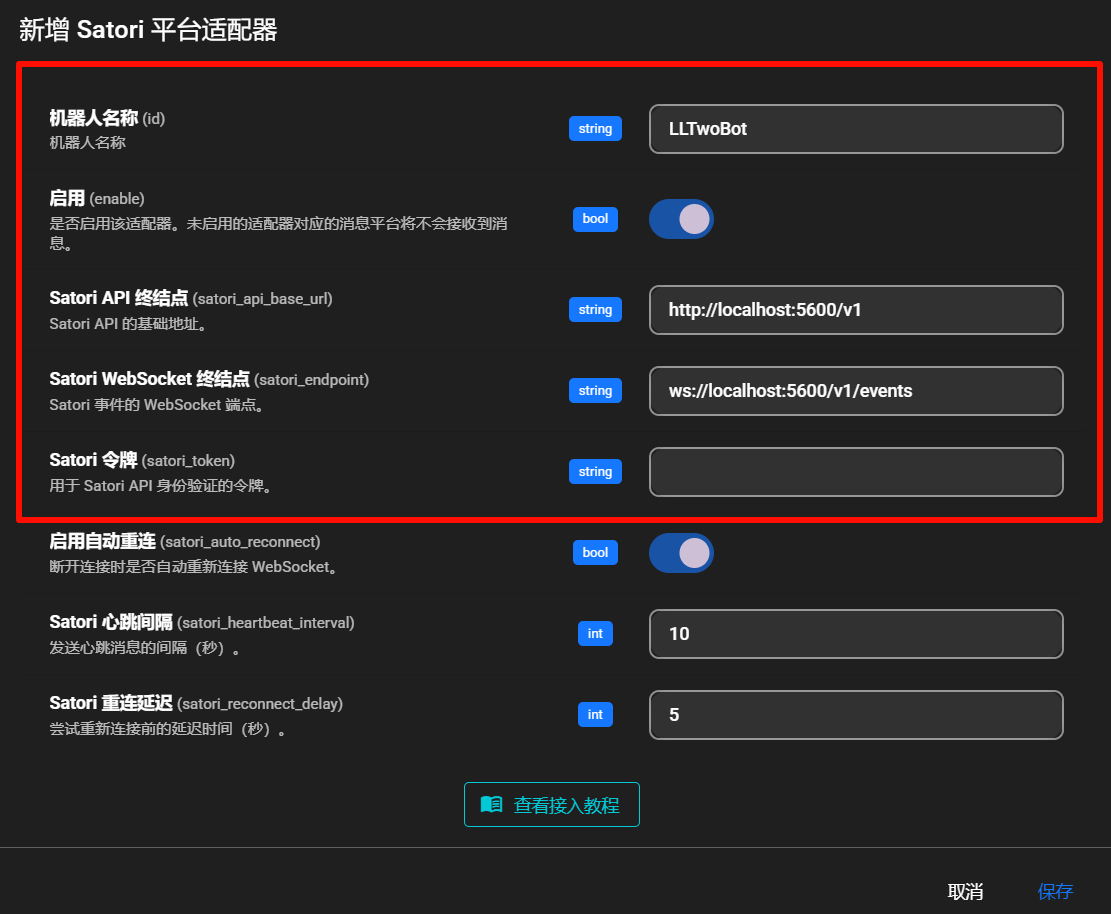
Fill in:
- Bot ID (
id):LLTwoBot - Enable (
enable): checked - Satori API endpoint (
satori_api_base_url):http://localhost:5600/v1 - Satori WebSocket endpoint (
satori_endpoint):ws://localhost:5600/v1/events - Satori token (
satori_token): from LLTwoBot config if set
- LLTwoBot Satori service defaults to port
5600.- The complete API base path is
http://localhost:5600/v1.- If your Satori service runs on another port/path, adjust these values.
Click Save.
Done
AstrBot should now be connected to LLTwoBot via Satori.
Send /help in QQ to verify.
Troubleshooting
If connection fails, check:
- LLTwoBot is running.
- Satori service is enabled.
- Port/path are configured correctly.
- Token matches (if configured).