

File size: 1,887 Bytes
8ede856 | 1 2 3 4 5 6 7 8 9 10 11 12 13 14 15 16 17 18 19 20 21 22 23 24 25 26 27 28 29 30 31 32 33 34 35 36 37 38 39 40 41 42 43 44 45 46 47 48 49 50 51 52 53 54 55 56 57 58 59 60 61 62 63 64 65 66 67 68 69 70 71 72 73 74 | # Connect LLTwoBot (Satori)
> [!TIP]
> LLTwoBot is a multi-protocol implementation based on QQNT (OneBot v11 + Satori), allowing AstrBot to communicate with QQ via Satori.
> [!TIP]
> - Please control message frequency responsibly.
> - This project must not be used for illegal purposes.
## Preparation
First complete basic setup using official LLTwoBot documentation:
[LLTwoBot Docs](https://llonebot.com/guide/getting-started)
Make sure you have:
1. Installed LLTwoBot.
2. Logged into a QQ account successfully.
## Configure Satori in LLTwoBot
After QQ login succeeds, open LLTwoBot WebUI:
> Default WebUI URL: <http://localhost:3080/>
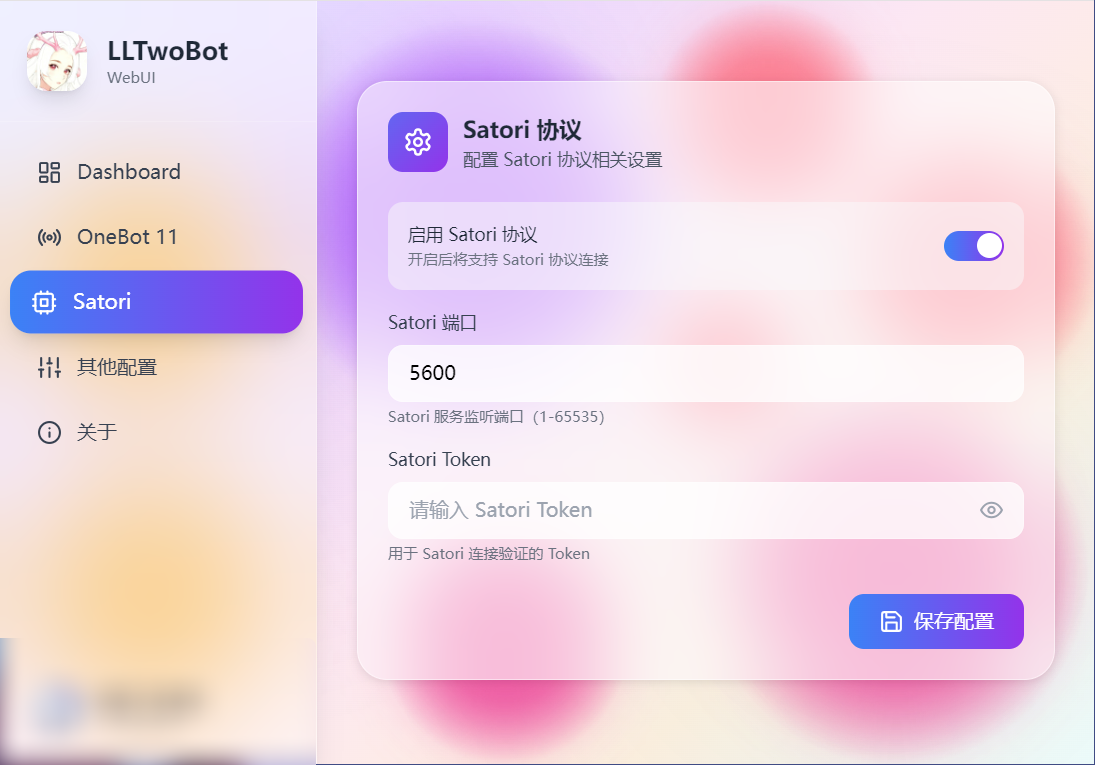
In the WebUI sidebar, open the `Satori` tab and configure:
1. Enable Satori protocol.
2. Port defaults to `5600`.
3. Set Satori token if needed.
4. Click Save.
## Configure Satori Adapter in AstrBot
1. Open AstrBot Dashboard.
2. Click `Bots`.
3. Click `+ Create Bot`.
4. Select `satori`.
Fill in:
- Bot ID (`id`): `LLTwoBot`
- Enable (`enable`): checked
- Satori API endpoint (`satori_api_base_url`): `http://localhost:5600/v1`
- Satori WebSocket endpoint (`satori_endpoint`): `ws://localhost:5600/v1/events`
- Satori token (`satori_token`): from LLTwoBot config if set
> [!NOTE]
> - LLTwoBot Satori service defaults to port `5600`.
> - The complete API base path is `http://localhost:5600/v1`.
> - If your Satori service runs on another port/path, adjust these values.
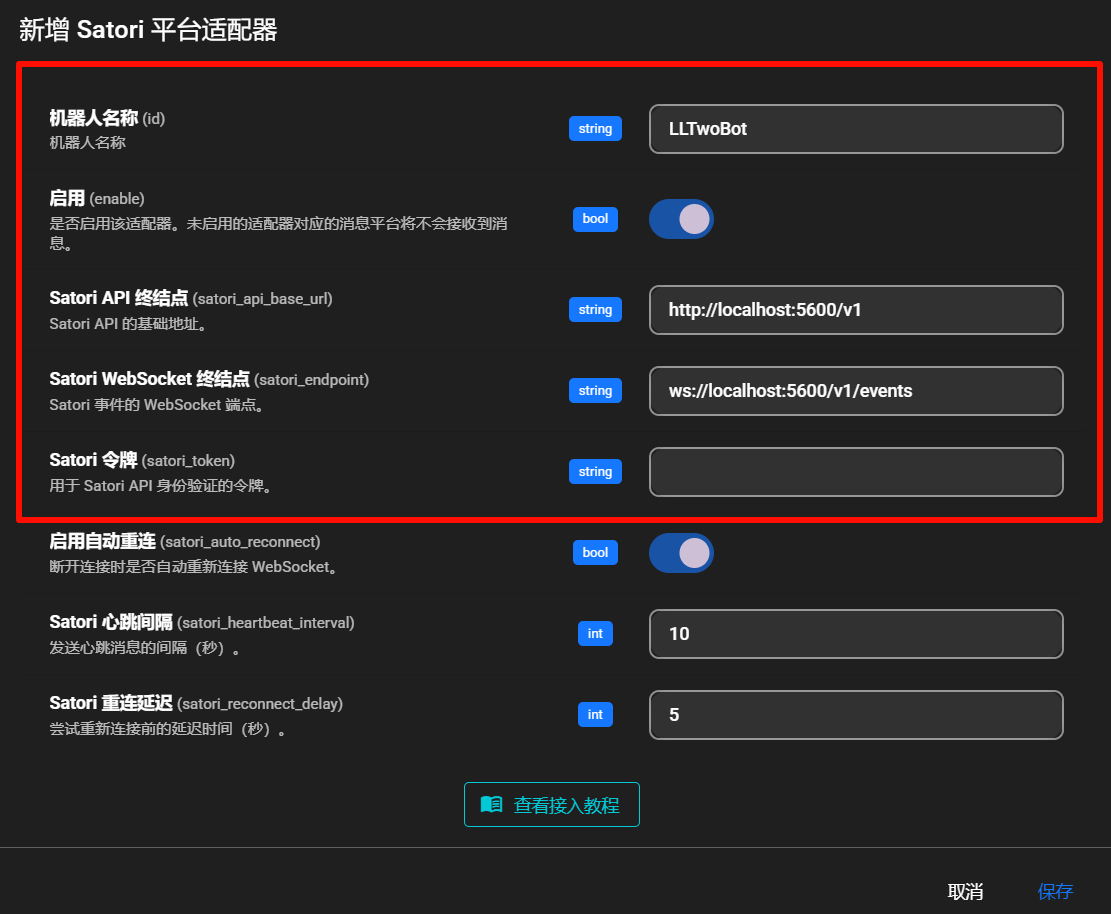
Click `Save`.
## Done
AstrBot should now be connected to LLTwoBot via Satori.
Send `/help` in QQ to verify.
## Troubleshooting
If connection fails, check:
1. LLTwoBot is running.
2. Satori service is enabled.
3. Port/path are configured correctly.
4. Token matches (if configured).
|