| # Connect to KOOK |
|
|
| ## Supported Message Types |
|
|
| > Version v4.19.2 |
|
|
| | Message Type | Receive | Send | Remarks | |
| | ------------ | ------- | ---- | -------------------------------------------------- | |
| | Text | Yes | Yes | Supports official [kmarkdown] syntax | |
| | Image | Yes | Yes | Supports external links; `jpeg`, `gif`, `png` only | |
| | Audio | Yes | Yes | Supports external links | |
| | Video | Yes | Yes | Supports external links; `mp4`, `mov` only | |
| | File | Yes | Yes | Supports external links | |
| | Card (JSON) | Yes | Yes | See [Kook Docs - Card Messages] | |
|
|
| Proactive message push: Supported |
| Message receiving mode: WebSocket |
|
|
| ## Create a Bot on Kook |
|
|
| 1. Go to the [Kook Developer Center] and follow these steps: |
| 2. Log in and complete identity verification. |
| 3. Click "Create Application" and customize your Bot's nickname. |
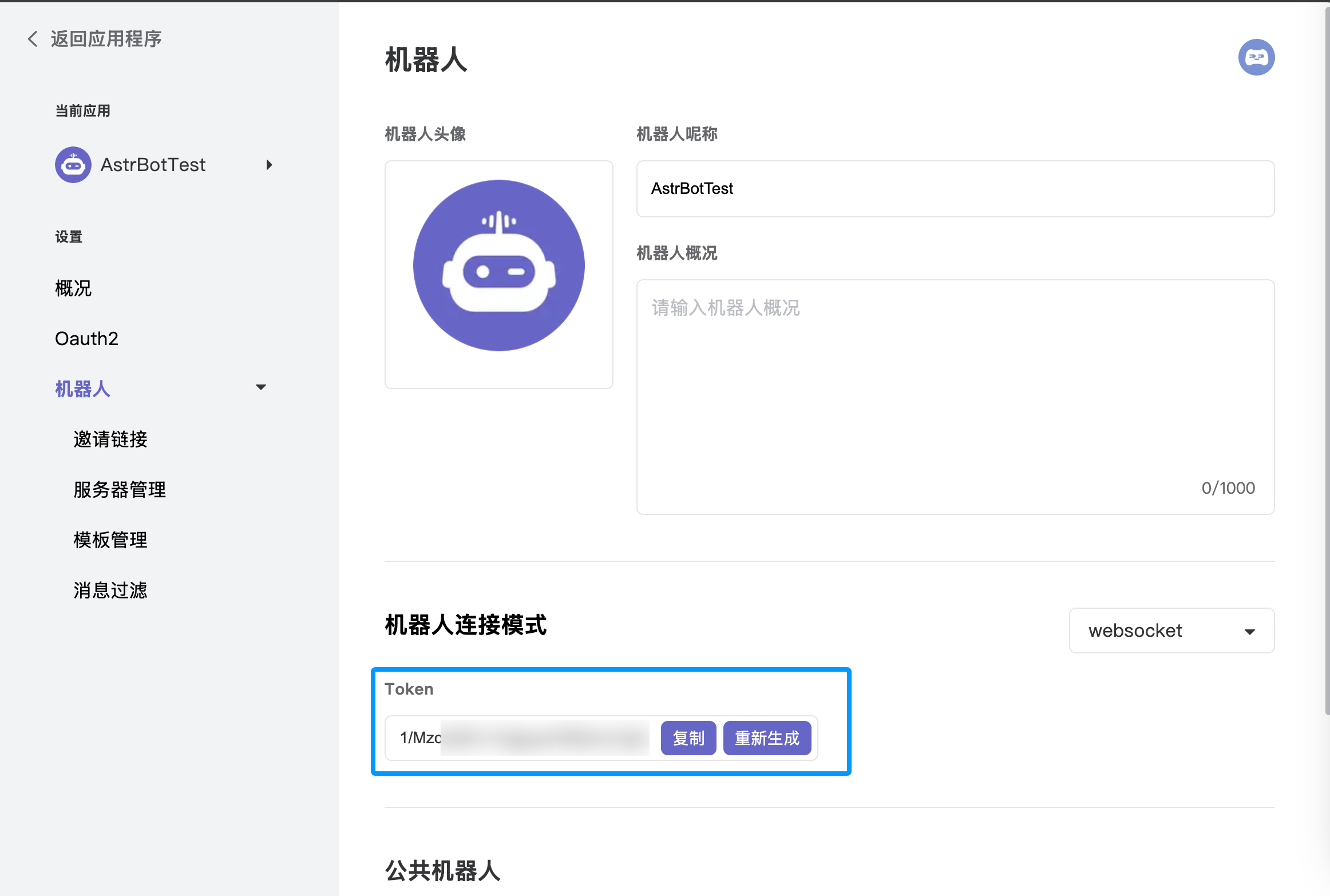
| 4. Enter the application dashboard, select the **Bot** module, and enable **WebSocket connection mode**. Make sure to save the generated **Token**, as you will need it for the subsequent AstrBot configuration. |
| 5. Under the "Bot" page in the left sidebar, click "Invite Link" and set the role permissions (full permissions are recommended to ensure all features work). |
| 6. Copy the invite link, open it in your browser, and add the bot to your desired server. |
|
|
|  |
|
|
| ## Configure in AstrBot |
|
|
| 1. Access the AstrBot management panel. |
| 2. Click **Bots** in the left sidebar. |
| 3. Click `+ Create Bot` on the right side of the interface. |
| 4. Select the `kook` adapter. |
| 5. Fill in the configuration fields: |
| - ID (id): Any name to identify this specific instance. |
| - Enable (enable): Check the box. |
| - Bot Token: Paste the Token generated from the [Kook Developer Center]. |
|
|
| 6. Click `Save` after filling in the details. |
| 7. Finally, in a Kook server channel (create one first if you haven't), @ the bot and type `/sid`. If the bot responds, the configuration is successful. |
|
|
| [Kook Developer Center]: https://developer.kookapp.cn/app |
| [kmarkdown]: https://developer.kookapp.cn/doc/kmarkdown |
| [Kook Docs - Card Messages]: https://developer.kookapp.cn/doc/cardmessage |
|
|

