| --- |
| outline: deep |
| --- |
| |
| # AstrBot Plugin Development Guide 🌠 |
|
|
| Welcome to the AstrBot Plugin Development Guide! This section will guide you through developing AstrBot plugins. Before we begin, we hope you have the following foundational knowledge: |
|
|
| 1. Some experience with Python programming. |
| 2. Some experience with Git and GitHub. |
|
|
| ## Environment Setup |
|
|
| ### Obtain the Plugin Template |
|
|
| 1. Open the AstrBot plugin template: [helloworld](https://github.com/Soulter/helloworld) |
| 2. Click `Use this template` in the upper right corner |
| 3. Then click `Create new repository`. |
| 4. Fill in your plugin name in the `Repository name` field. Plugin naming conventions: |
| - Recommended to start with `astrbot_plugin_`; |
| - Must not contain spaces; |
| - Keep all letters lowercase; |
| - Keep it concise. |
| 5. Click `Create repository` in the lower right corner. |
|
|
| ### Clone the Project Locally |
|
|
| Clone both the AstrBot main project and the plugin repository you just created to your local machine. |
|
|
| ```bash |
| git clone https://github.com/AstrBotDevs/AstrBot |
| mkdir -p AstrBot/data/plugins |
| cd AstrBot/data/plugins |
| git clone <your-plugin-repository-url> |
| ``` |
|
|
| Then, use `VSCode` to open the `AstrBot` project. Navigate to the `data/plugins/<your-plugin-name>` directory. |
|
|
| Update the `metadata.yaml` file with your plugin's metadata information. |
|
|
| > [!WARNING] |
| > Please make sure to modify this file, as AstrBot relies on the `metadata.yaml` file to recognize plugin metadata. |
|
|
| ### Set Plugin Logo (Optional) |
|
|
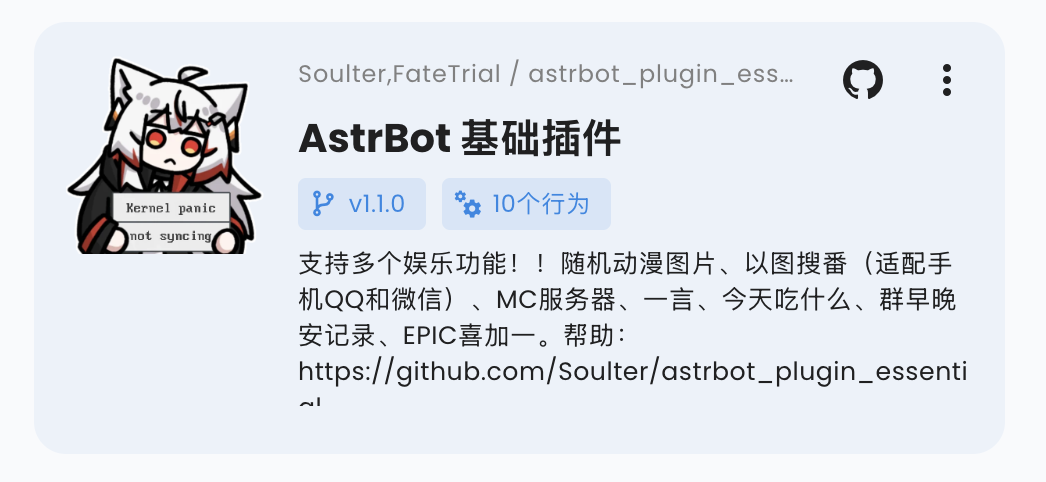
| You can add a `logo.png` file in the plugin directory as the plugin's logo. Please maintain an aspect ratio of 1:1, with a recommended size of 256x256. |
|
|
|  |
|
|
| ### Plugin Display Name (Optional) |
|
|
| You can modify (or add) the `display_name` field in the `metadata.yaml` file to serve as the plugin's display name in scenarios like the plugin marketplace, making it easier for users to read. |
|
|
| ### Declare Supported Platforms (Optional) |
|
|
| You can add a `support_platforms` field (`list[str]`) to `metadata.yaml` to declare which platform adapters your plugin supports. The WebUI plugin page will display this field. |
|
|
| ```yaml |
| support_platforms: |
| - telegram |
| - discord |
| ``` |
|
|
| The values in `support_platforms` must be keys from `ADAPTER_NAME_2_TYPE`. Currently supported: |
|
|
| - `aiocqhttp` |
| - `qq_official` |
| - `telegram` |
| - `wecom` |
| - `lark` |
| - `dingtalk` |
| - `discord` |
| - `slack` |
| - `kook` |
| - `vocechat` |
| - `weixin_official_account` |
| - `satori` |
| - `misskey` |
| - `line` |
|
|
| ### Declare AstrBot Version Range (Optional) |
|
|
| You can add an `astrbot_version` field in `metadata.yaml` to declare the required AstrBot version range for your plugin. The format follows dependency specifiers in `pyproject.toml` (PEP 440), and must not include a `v` prefix. |
|
|
| ```yaml |
| astrbot_version: ">=4.16,<5" |
| ``` |
|
|
| Examples: |
|
|
| - `>=4.17.0` |
| - `>=4.16,<5` |
| - `~=4.17` |
|
|
| If you only want to declare a minimum version, use: |
|
|
| - `>=4.17.0` |
|
|
| If the current AstrBot version does not satisfy this range, the plugin will be blocked from loading with a compatibility error. |
| In the WebUI installation flow, you can choose to "Ignore Warning and Install" to bypass this check. |
|
|
| ### Debugging Plugins |
|
|
| AstrBot uses a runtime plugin injection mechanism. Therefore, when debugging plugins, you need to start the AstrBot main application. |
|
|
| You can use AstrBot's hot reload feature to streamline the development process. |
|
|
| After modifying the plugin code, you can find your plugin in the AstrBot WebUI's plugin management section, click the `...` button in the upper right corner, and select `Reload Plugin`. |
|
|
| If the plugin fails to load due to code errors or other reasons, you can also click **"Try one-click reload fix"** in the error prompt on the admin panel to reload it. |
|
|
| ### Plugin Dependency Management |
|
|
| Currently, AstrBot manages plugin dependencies using pip's built-in `requirements.txt` file. If your plugin requires third-party libraries, please be sure to create a `requirements.txt` file in the plugin directory and list the dependencies used, to prevent Module Not Found errors when users install your plugin. |
|
|
| > For the complete format of `requirements.txt`, please refer to the [pip official documentation](https://pip.pypa.io/en/stable/reference/requirements-file-format/). |
|
|
| ## Development Principles |
|
|
| Thank you for contributing to the AstrBot ecosystem. Please follow these principles when developing plugins, which are also good programming practices: |
|
|
| - Features must be tested. |
| - Include comprehensive comments. |
| - Store persistent data in the `data` directory, not in the plugin's own directory, to prevent data loss when updating/reinstalling the plugin. |
| - Implement robust error handling mechanisms; don't let a single error crash the plugin. |
| - Before committing, please use the [ruff](https://docs.astral.sh/ruff/) tool to format your code. |
| - Do not use the `requests` library for network requests; use asynchronous network request libraries such as `aiohttp` or `httpx`. |
| - If you're extending functionality for an existing plugin, please prioritize submitting a PR to that plugin rather than creating a separate one (unless the original plugin author has stopped maintaining it). |
|
|

