| # Deploy via Compshare |
|
|
| Compshare is UCloud's GPU compute rental and LLM API platform, offering compute resources for AI, deep learning, and scientific workloads. |
|
|
| AstrBot provides an Ollama + AstrBot one-click self-deployment image on Compshare, and also supports Compshare model APIs. |
|
|
| ## Use the Ollama + AstrBot One-Click Image |
|
|
| > Default image spec: RTX 3090 24GB + Intel 16-core + 64GB RAM + 200GB system disk. Billing is pay-as-you-go, so please monitor your balance. |
|
|
| 1. Register a Compshare account via [this link](https://passport.compshare.cn/register?referral_code=FV7DcGowN4hB5UuXKgpE74). |
| 2. Open the [AstrBot image page](https://www.compshare.cn/images/0oX7xoGrzfre) and create an instance. |
| 3. After deployment, open `JupyterLab` from the [console](https://console.compshare.cn/light-gpu/console/resources). |
| 4. In JupyterLab, create a new terminal and run: |
|
|
| ```bash |
| cd |
| ./astrbot_booter.sh |
| ``` |
|
|
| If startup succeeds, you should see output similar to: |
|
|
| ```txt |
| (py312) root@f8396035c96d:/workspace# cd |
| ./astrbot_booter.sh |
| Starting AstrBot... |
| Starting ollama... |
| Both services started in the background. |
| ``` |
|
|
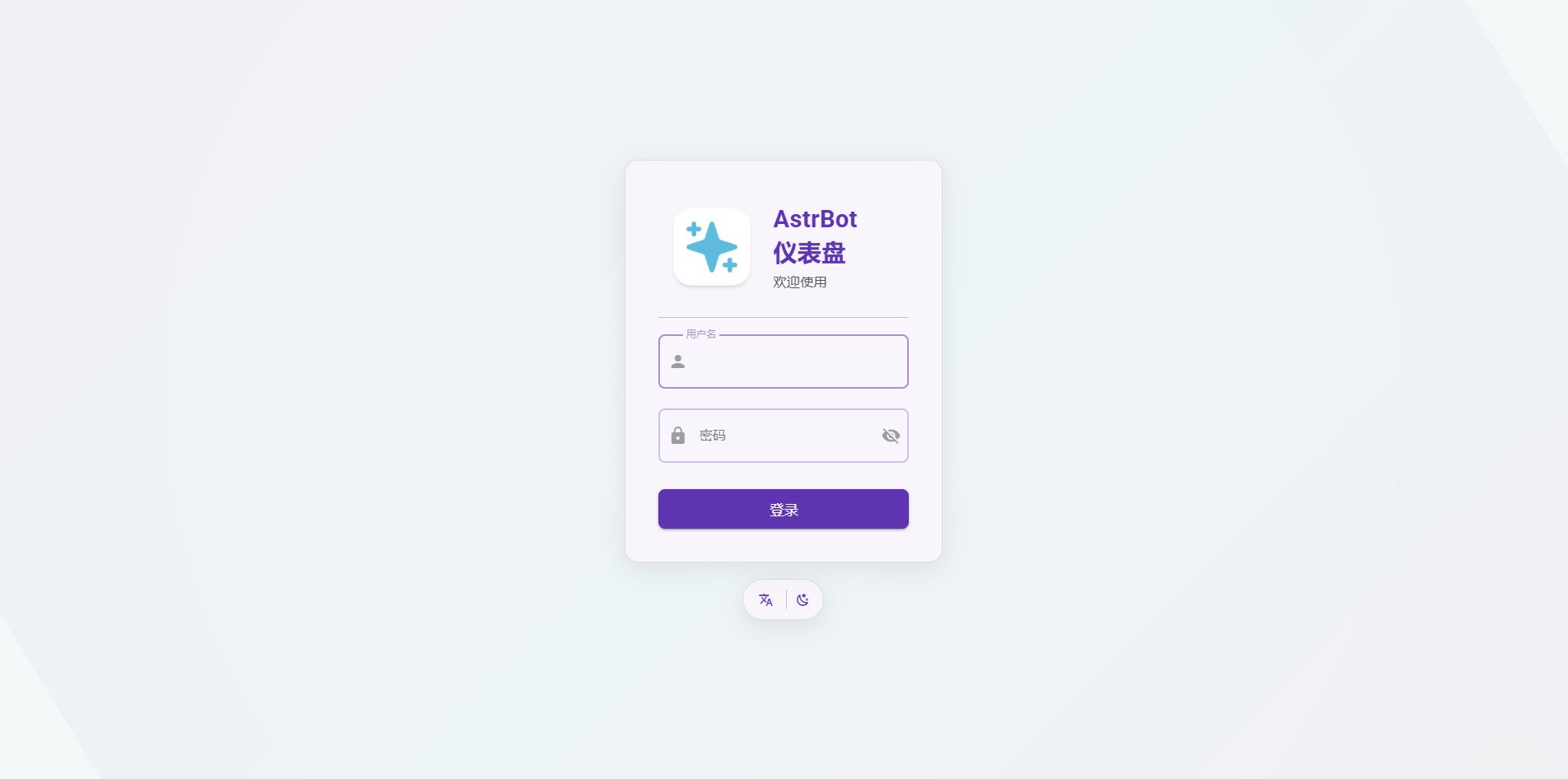
| After startup, open `http://<instance-public-ip>:7860` in your browser to access the AstrBot dashboard. |
| You can find the public IP in Console -> Basic Network (Public). |
|
|
| > It may take around 30 seconds before the page becomes reachable. |
|
|
|  |
|
|
| Login with username `astrbot` and password `astrbot`. |
|
|
| After logging in, you can reset your password and continue setup. |
|
|
| The instance imports `Ollama-DeepSeek-R1-32B` by default. |
|
|
| ## Use Other Models |
|
|
| ### Pull Models with Ollama |
|
|
| The image includes Ollama. You can pull any model and host it locally on the instance. |
|
|
| 1. Choose a model from [Ollama Search](https://ollama.com/search). |
| 2. Connect to the instance terminal via SSH (from Compshare Console -> Instance List -> Console Command and Password). |
| 3. Run `ollama pull <model-name>` and wait for completion. |
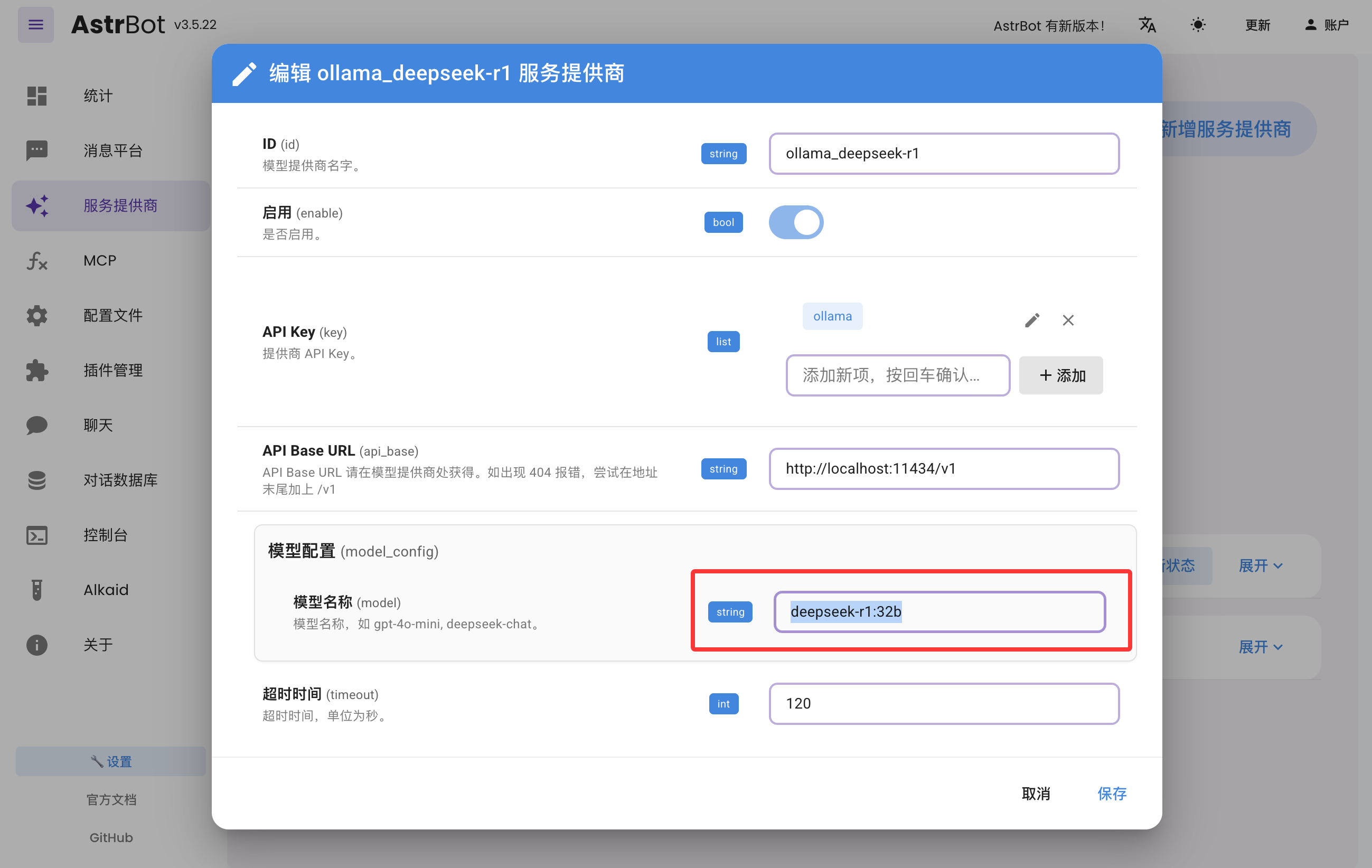
| 4. In AstrBot Dashboard -> Providers, edit `ollama_deepseek-r1`, update the model name, and save. |
|
|
|  |
|
|
| ### Use Compshare Model API |
|
|
| AstrBot supports direct access to model APIs provided by Compshare. |
|
|
| 1. Find the model you want at [Compshare Model Center](https://console.compshare.cn/light-gpu/model-center). |
| 2. In AstrBot Dashboard -> Providers, click `+ Add Provider`, then choose Compshare. |
| If Compshare is not listed, choose OpenAI-compatible access and set API Base URL to `https://api.modelverse.cn/v1`. |
| Enter the model name in model configuration and save. |
|
|
| ### Test |
|
|
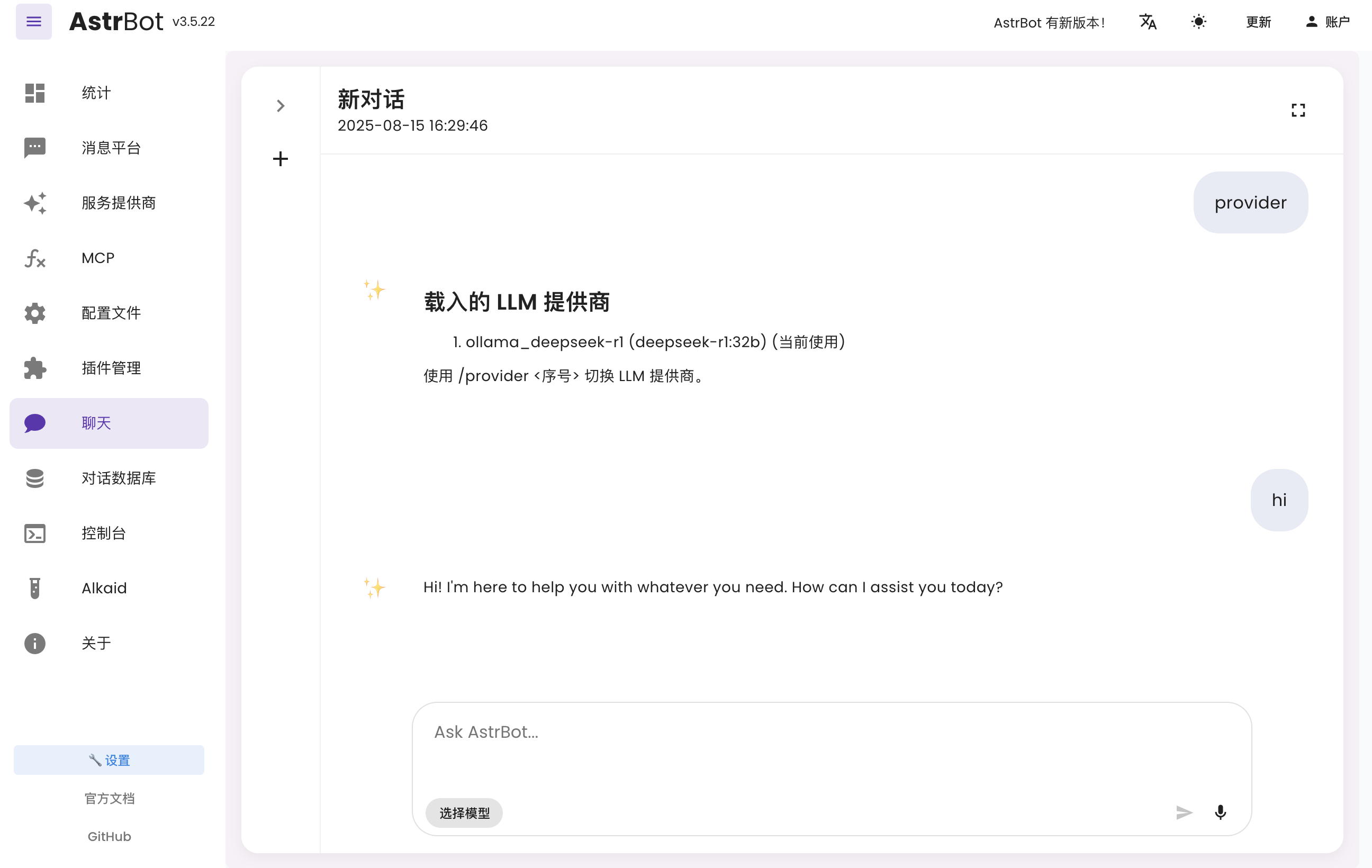
| In AstrBot Dashboard, click `Chat` and run `/provider` to view and switch your active provider. |
|
|
| Then send a normal message to test whether the model works. |
|
|
|  |
|
|
| ## Connect to Messaging Platforms |
|
|
| You can follow the latest platform integration guides in the [AstrBot Documentation](https://docs.astrbot.app/en/what-is-astrbot.html). |
| Open the docs and check the left sidebar under Messaging Platforms. |
|
|
| - Lark: [Connect to Lark](https://docs.astrbot.app/en/platform/lark.html) |
| - LINE: [Connect to LINE](https://docs.astrbot.app/en/platform/line.html) |
| - DingTalk: [Connect to DingTalk](https://docs.astrbot.app/en/platform/dingtalk.html) |
| - WeCom: [Connect to WeCom](https://docs.astrbot.app/en/platform/wecom.html) |
| - WeChat Official Account: [Connect to WeChat Official Account](https://docs.astrbot.app/en/platform/weixin-official-account.html) |
| - QQ Official Bot: [Connect to QQ Official API](https://docs.astrbot.app/en/platform/qqofficial/webhook.html) |
| - KOOK: [Connect to KOOK](https://docs.astrbot.app/en/platform/kook.html) |
| - Slack: [Connect to Slack](https://docs.astrbot.app/en/platform/slack.html) |
| - Discord: [Connect to Discord](https://docs.astrbot.app/en/platform/discord.html) |
| - More methods: [AstrBot Documentation](https://docs.astrbot.app/en/what-is-astrbot.html) |
|
|
| ## More Features |
|
|
| For more capabilities, see the [AstrBot Documentation](https://docs.astrbot.app/en/what-is-astrbot.html). |
|
|

