


Jupyter notebook for the Hodgkin Huxley model
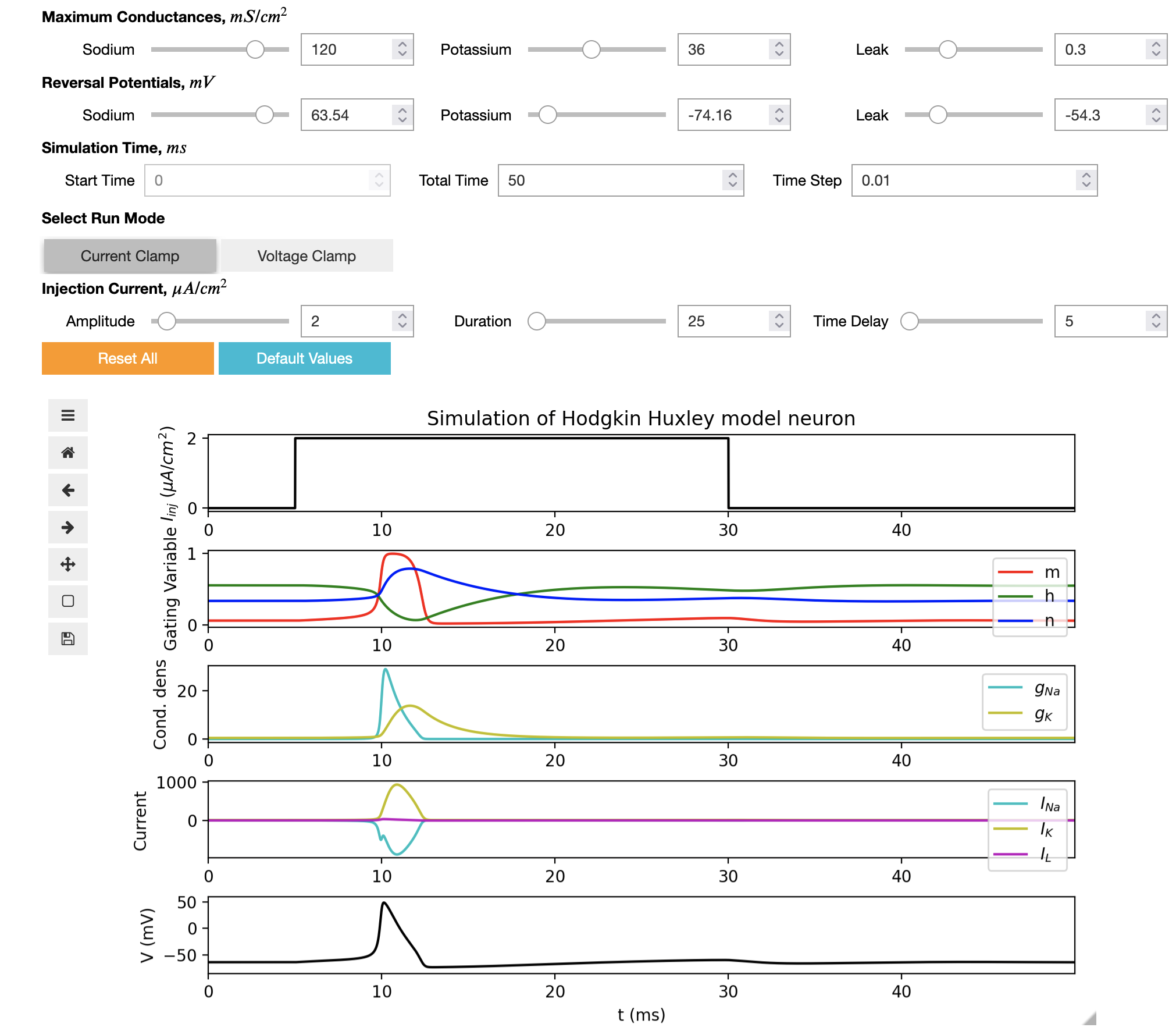
This is an interactive web notebook using Jupyter technologies which can be used to run the HH model, change the parameters of the model and display the dynamical properties of variables.
This notebook was developed as part of Google Summer of Code 2022 by Rahul Sonkar.
Running the notebook
Option 1) Using Open Source Brain version 2
Advantage: you can save any changes you make to the notebook in your OSBv2 workspace, and view/edit other files associated with the model including the Python implementation of the HH model.
- Go to Open Source Brain v2 and register for a new account and log in.
- Go to the Hodgkin Huxley model repository page at https://v2.opensourcebrain.org/repositories/33.
- Click on New workspace from selection (blue button).
- When this has been created, go to the new workspace page and click on Open with JupyterLab.
- This opens a copy of all the files in the repository in JupyterLab.
- In the left had file browser navigate to the folder
Hodgkin Huxley Tutorials/master/notebooks/Python_HH_versionand double click onPython_Notebook_HH.ipynbto open the notebook. - You should be able to run the interactive widget by click the double arrow (▶▶) in the JupyterLab toolbar at the top of the notebook.
- Note: the lighter version of the JupyterLab interface shown above can be accessed in the menu:
Settings -> Theme -> JupyterLab Light.
Option 2) Using Binder
Advantage: quick to start & run, no login required
- The notebook can also be opened using Binder. Click here to open the HH notebook:

- You should be able to run the interactive widget by click the double arrow (▶▶) in the JupyterLab toolbar at the top of the notebook.