| # 通过优云智算部署 |
|
|
| 优云智算是 UCloud 旗下的 GPU 算力租赁和大模型 API 调用平台,致力于为 AI、深度学习、科学计算相关客户提供丰富多样的算力资源。 |
|
|
| AstrBot 在优云智算发布了 Ollama + AstrBot 一键自部署镜像,并且接入了优云智算 LLM API。 |
|
|
| ## 使用 Ollama + AstrBot 一键自部署镜像 |
|
|
| > 镜像默认参数为:RTX 3090 24GB + Intel 16核 + 64GB RAM + 200GB 系统盘。采用按量付费的方式,请留意您的余额使用情况。 |
|
|
| 1. 通过 [此链接](https://passport.compshare.cn/register?referral_code=FV7DcGowN4hB5UuXKgpE74) 注册优云智算账户。 |
| 1. 打开 [AstrBot 镜像链接](https://www.compshare.cn/images/0oX7xoGrzfre),点击创建实例。 |
| 2. 部署成功后,在[控制台](https://console.compshare.cn/light-gpu/console/resources)中打开「JupyterLab」 |
| 3. 进入JupyterLab后,新建一个终端 Terminal,在终端中粘贴以下指令 |
|
|
| ```bash |
| cd |
| ./astrbot_booter.sh |
| ``` |
|
|
| 指令运行结果如下所示即说明启动成功。 |
|
|
| ```txt |
| (py312) root@f8396035c96d:/workspace# cd |
| ./astrbot_booter.sh |
| Starting AstrBot... |
| Starting ollama... |
| Both services started in the background. |
| ``` |
|
|
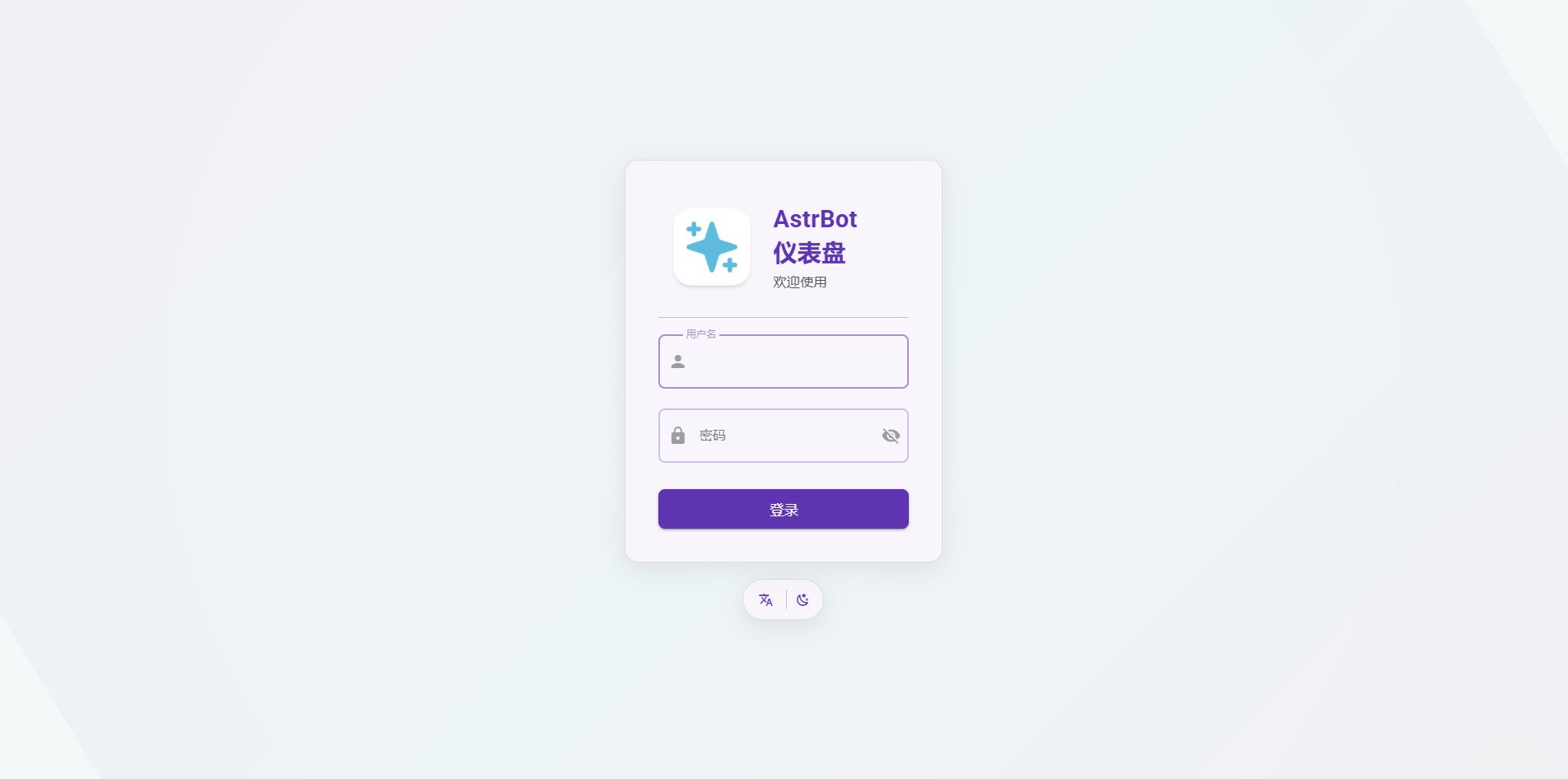
| 启动成功后,在浏览器中输入 `http://实例的外网IP:7860` 即可访问 AstrBot 的界面。外网 IP 可以在 控制台->基础网络(外网)中获取。 |
|
|
| > 可能需要等待半分钟左右。 |
|
|
|  |
|
|
| 使用用户名:astrbot 和密码 astrbot 进行登录。 |
|
|
|
|
| 登录成功后,可以重新设置密码,并进入 AstrBot 的页面。 |
|
|
| 实例默认会导入 Ollama-DeepSeek-R1-32B 模型。 |
|
|
| ## 使用其他模型 |
|
|
| ### 使用 Ollama 拉取模型 |
|
|
| 镜像原生部署了 Ollama,您可以通过 Ollama 指令自行拉取想要的模型,将模型本地部署在实例。 |
|
|
| 1. 在 [Ollama](https://ollama.com/search) 模型列表找到想部署的模型。 |
| 2. 通过 SSH 进入到实例的终端(进入优云智算平台的控制台页面->实例列表->控制台指令和密码) |
| 3. 通过 `ollama pull 模型名` 拉取模型,等待拉取成功。 |
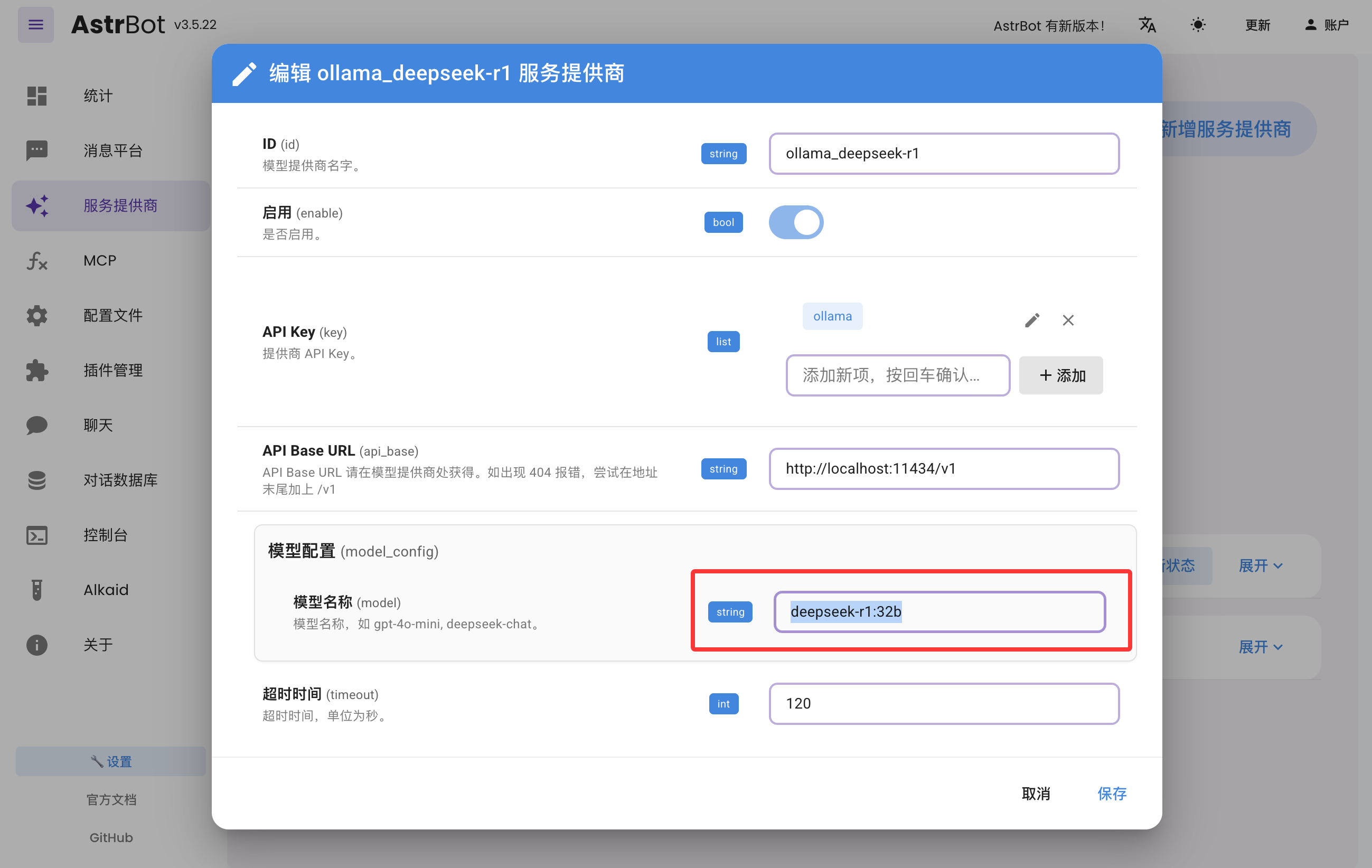
| 4. 在 AstrBot 面板的 服务提供商页面找到 `ollama_deepseek-r1`,点击编辑,更新模型名称,点击保存。 |
|
|
|  |
|
|
| ### 使用优云智算提供的模型 API |
|
|
| AstrBot 支持接入优云智算提供的模型 API。 |
|
|
| 1. 在 [优云智算](https://console.compshare.cn/light-gpu/model-center) 找到想要接入的模型 |
| 2. 在 AstrBot 面板的 服务提供商页面点击「+ 新增服务提供商」,点击优云智算(如果没有,点击“接入 OpenAI”,并且修改下一步弹出窗口的 API Base URL 为 `https://api.modelverse.cn/v1`)。在模型配置-模型名称输入模型名,点击保存。 |
|
|
| ### 测试 |
|
|
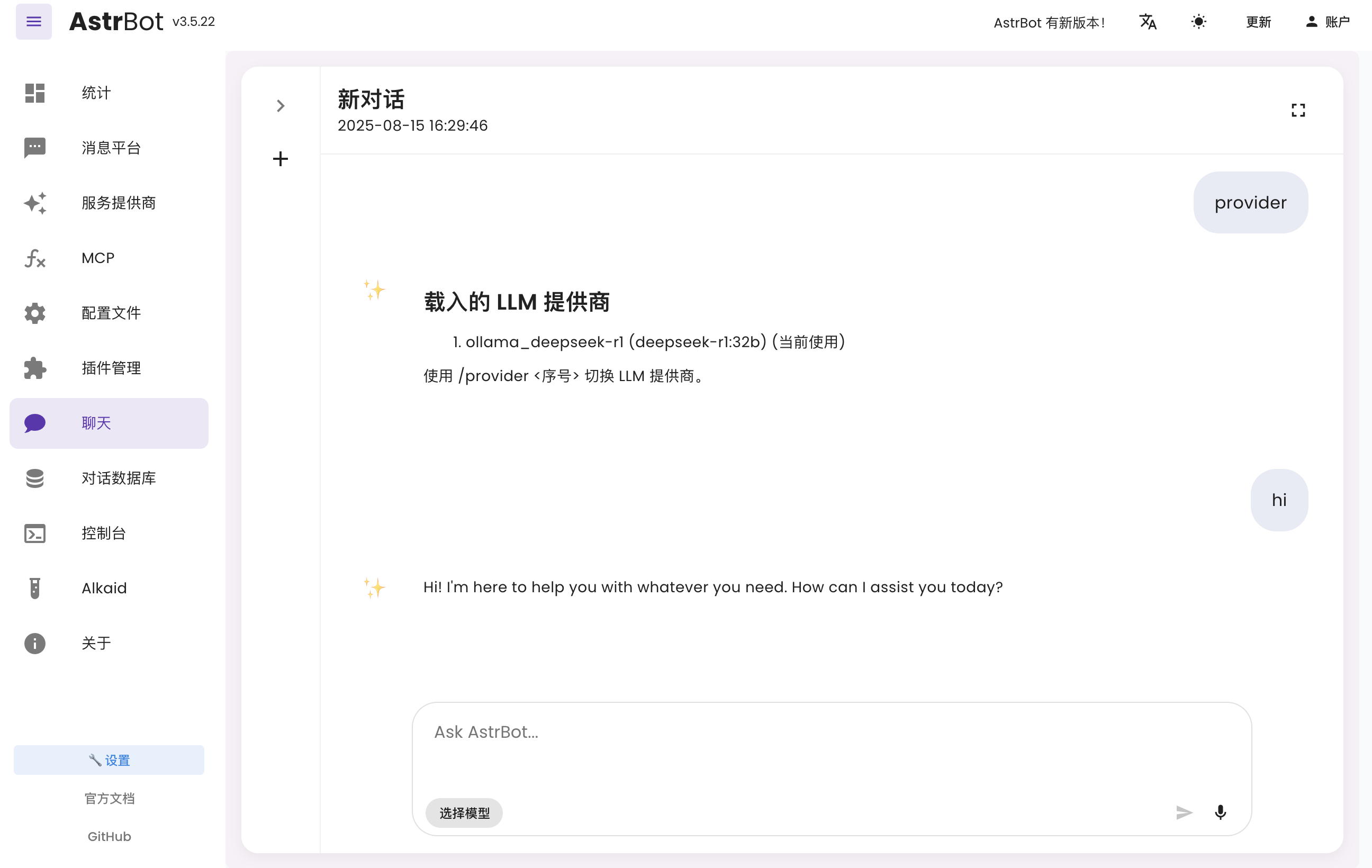
| 在 AstrBot 面板左侧点击 `聊天`,输入 `/provider`,可以查看和切换您当前接入的提供商。 |
|
|
| 您可以直接聊天来测试模型是否正常。 |
|
|
|  |
|
|
|
|
| ## 接入到消息平台 |
|
|
| - 飞书:[接入到飞书](https://docs.astrbot.app/deploy/platform/lark.html) |
| - LINE:[接入到 LINE](https://docs.astrbot.app/deploy/platform/line.html) |
| - 钉钉:[接入到钉钉](https://docs.astrbot.app/deploy/platform/dingtalk.html) |
| - 企业微信:[接入到企业微信应用](https://docs.astrbot.app/deploy/platform/wecom.html) |
| - 微信客服:[接入到微信客服](https://docs.astrbot.app/deploy/platform/wecom.html) |
| - 微信公众平台:[接入到微信公众平台](https://docs.astrbot.app/deploy/platform/weixin-official-account.html) |
| - QQ 官方机器人平台:[接入到 QQ 机器人](https://docs.astrbot.app/deploy/platform/qqofficial/webhook.html) |
| - KOOK:[接入到 KOOK](https://docs.astrbot.app/deploy/platform/kook.html) |
| - Slack:[接入到 Slack](https://docs.astrbot.app/deploy/platform/slack.html) |
| - Discord:[接入到 Discord](https://docs.astrbot.app/deploy/platform/discord.html) |
| - 更多接入方式参考 [AstrBot 官方文档](https://docs.astrbot.app/what-is-astrbot.html) |
|
|
| ## 更多功能 |
|
|
| 更多功能情参考 [AstrBot 官方文档](https://docs.astrbot.app)。 |

