|
|
| # MCP |
|
|
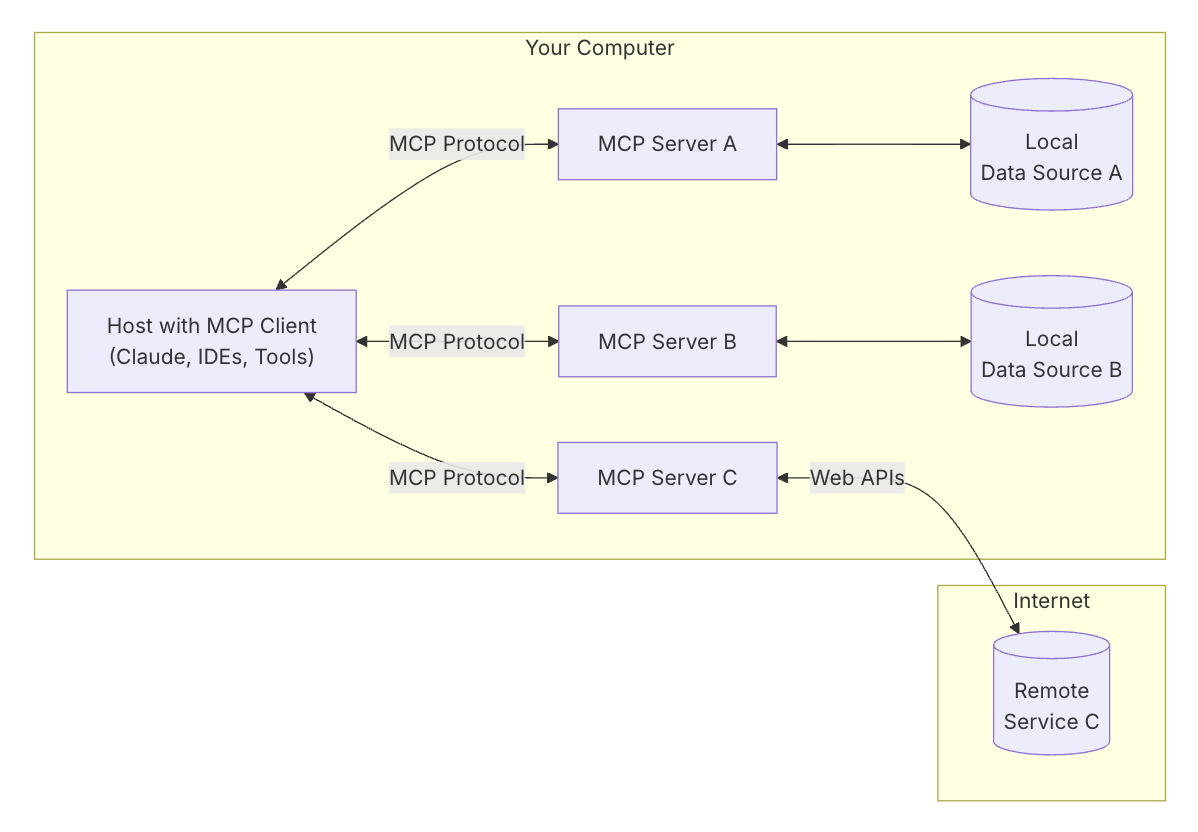
| MCP (Model Context Protocol) is a new open standard protocol for establishing secure bidirectional connections between large language models and data sources. Simply put, it extracts function tools as independent services, allowing AstrBot to remotely invoke these function tools via the MCP protocol, which then return results to AstrBot. |
|
|
|  |
|
|
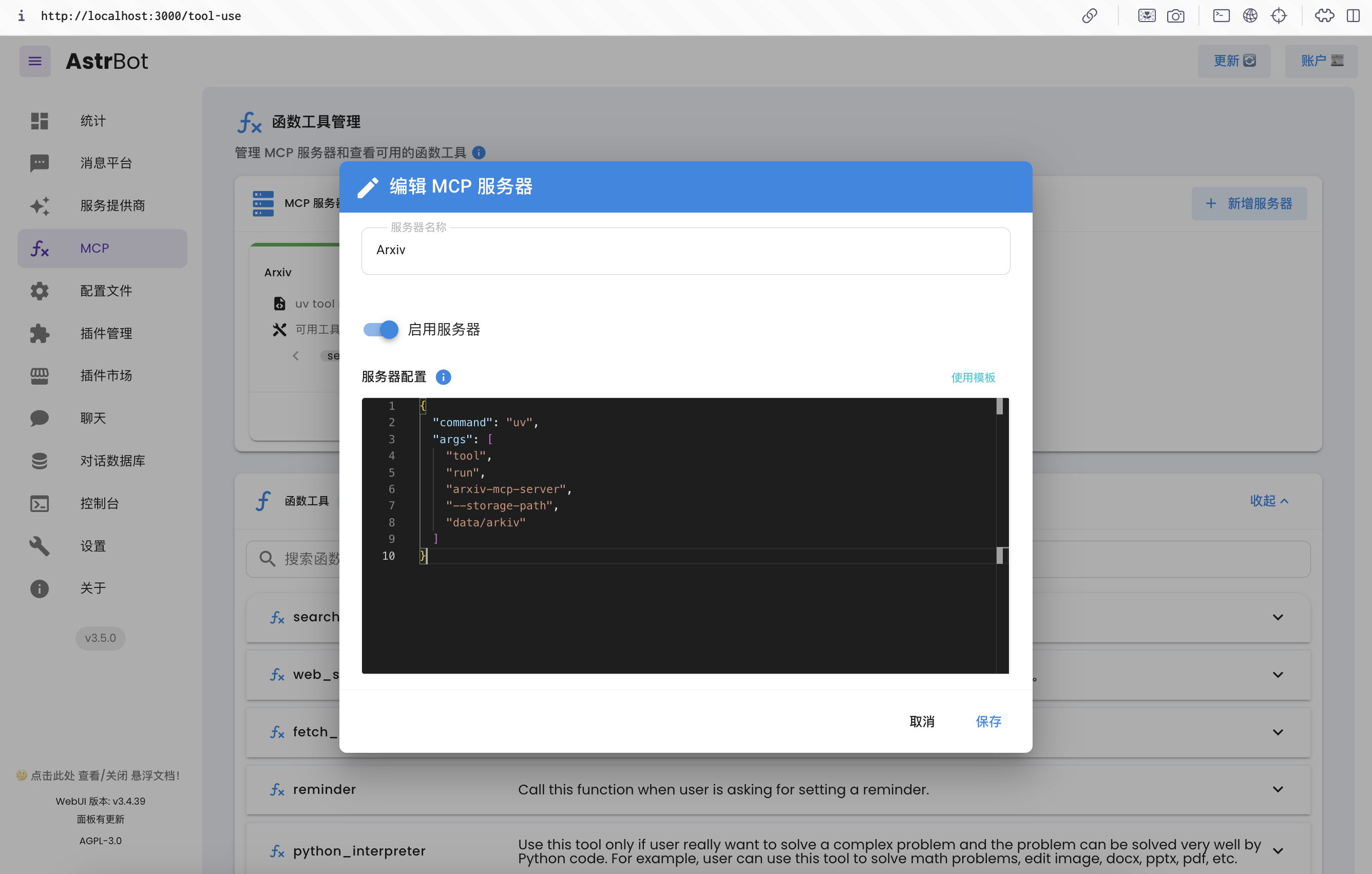
| AstrBot v3.5.0 supports the MCP protocol, enabling you to add multiple MCP servers and use function tools from MCP servers. |
|
|
|  |
|
|
| ## Initial Configuration |
|
|
| MCP servers are typically launched using `uv` or `npm`, so you need to install these two tools. |
|
|
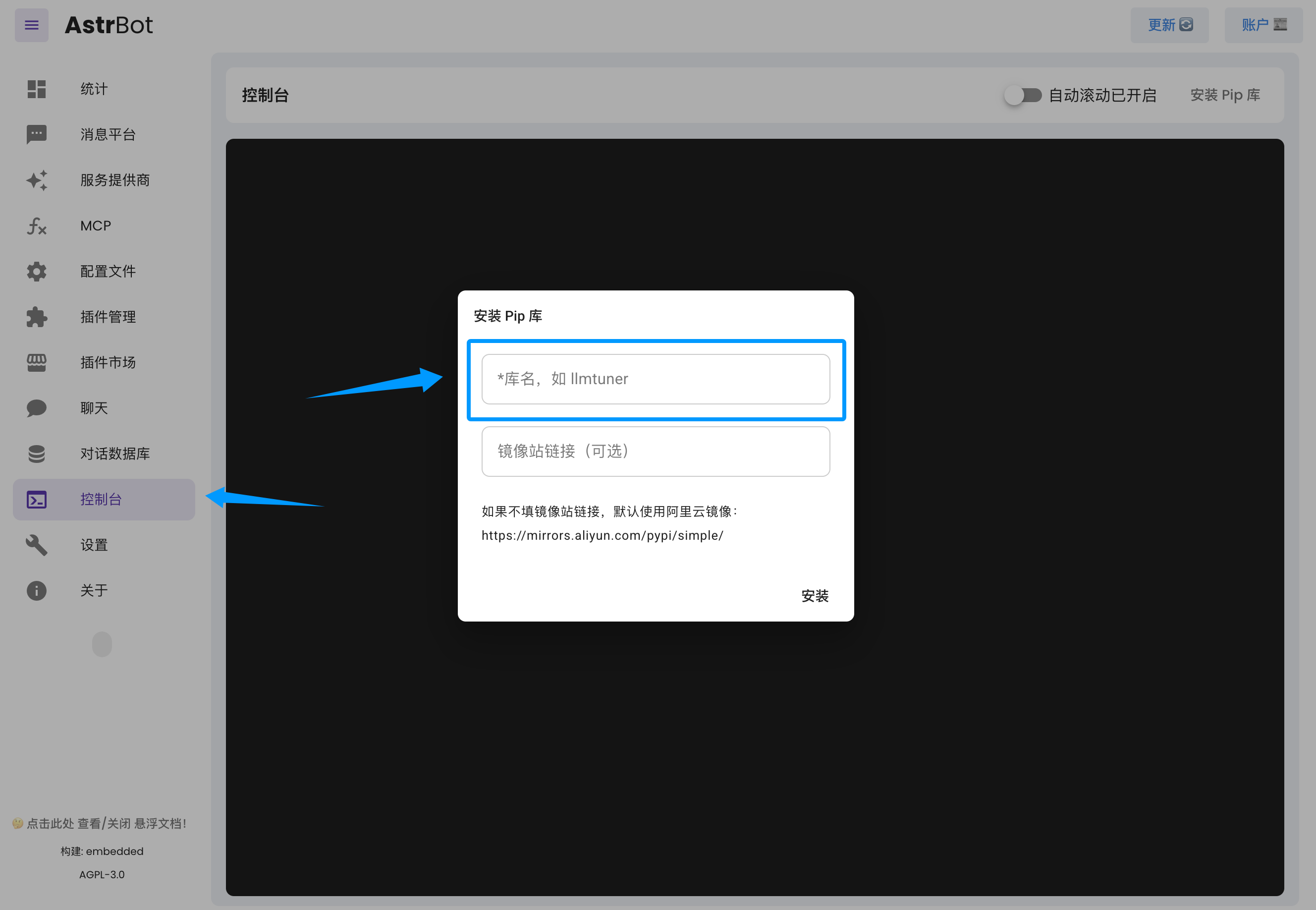
| For `uv`, you can install it directly via pip. Quick installation via AstrBot WebUI: |
|
|
|  |
|
|
| Just enter `uv`. |
|
|
| If you're deploying AstrBot with Docker, you can also execute the following command for quick installation: |
|
|
| ```bash |
| docker exec astrbot python -m pip install uv |
| ``` |
|
|
| If you're deploying AstrBot from source, please install it within the created virtual environment. |
|
|
| For `npm`, you need to install `node`. |
|
|
| If you're deploying AstrBot from source or using one-click installation, please refer to [Download Node.js](https://nodejs.org/en/download) to download to your local machine. |
|
|
| If you're using Docker to deploy AstrBot, you need to install `node` in the container (future AstrBot Docker images will include `node` by default). Please execute the following commands: |
|
|
| ```bash |
| sudo docker exec -it astrbot /bin/bash |
| apt update && apt install curl -y |
| export NVM_NODEJS_ORG_MIRROR=http://nodejs.org/dist |
| # Download and install nvm: |
| curl -o- https://raw.githubusercontent.com/nvm-sh/nvm/v0.40.2/install.sh | bash |
| \. "$HOME/.nvm/nvm.sh" |
| nvm install 22 |
| # Verify version: |
| node -v |
| nvm current |
| npm -v |
| npx -v |
| ``` |
|
|
| After installing `node`, you need to restart `AstrBot` to apply the new environment variables. |
|
|
| ## Installing MCP Servers |
|
|
| If you're deploying AstrBot with Docker, please install MCP servers in the data directory. |
|
|
| ### An Example |
|
|
| I want to install an MCP server for querying papers on Arxiv and found this repository: [arxiv-mcp-server](https://github.com/blazickjp/arxiv-mcp-server). Referring to its README, |
|
|
| We extract the necessary information: |
|
|
| ```json |
| { |
| "command": "uv", |
| "args": [ |
| "tool", |
| "run", |
| "arxiv-mcp-server", |
| "--storage-path", "data/arxiv" |
| ] |
| } |
| ``` |
|
|
| If the MCP server you need requires environment variables to configure something (e.g. access token), you could use the command-line tool `env`: |
|
|
| ```json |
| { |
| "command": "env", |
| "args": [ |
| "XXX_RESOURCE_FROM=local", |
| "XXX_API_URL=https://xxx.com", |
| "XXX_API_TOKEN=sk-xxxxx", |
| "uv", |
| "tool", |
| "run", |
| "xxx-mcp-server", |
| "--storage-path", "data/res" |
| ] |
| } |
| ``` |
|
|
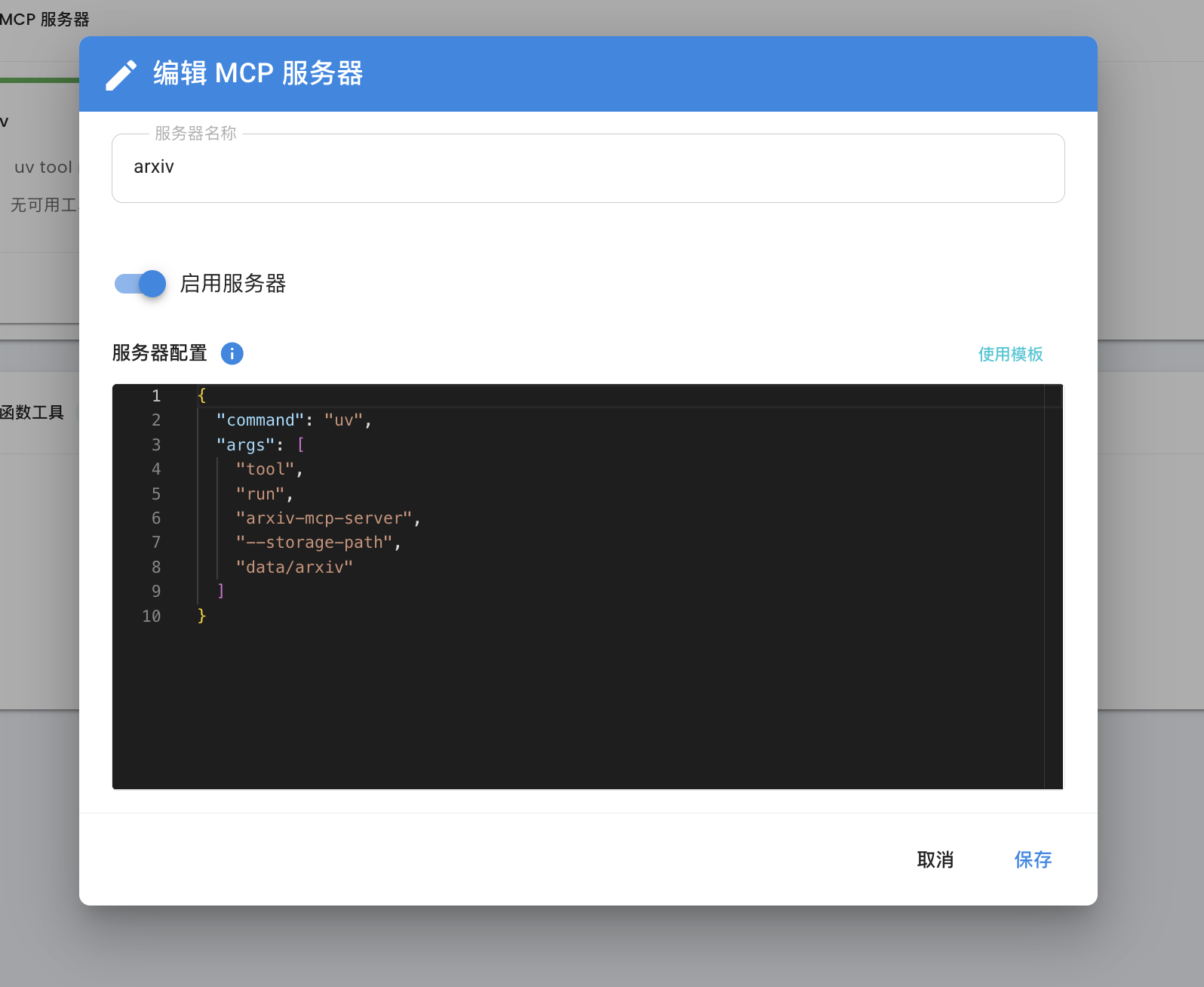
| Configure it in the AstrBot WebUI: |
|
|
|  |
|
|
| That's it. |
|
|
| Reference links: |
|
|
| 1. Learn how to use MCP here: [Model Context Protocol](https://modelcontextprotocol.io/introduction) |
| 2. Get commonly used MCP servers here: [awesome-mcp-servers](https://github.com/punkpeye/awesome-mcp-servers/blob/main/README-zh.md#what-is-mcp), [Model Context Protocol servers](https://github.com/modelcontextprotocol/servers), [MCP.so](https://mcp.so) |
|
|

