

| # Deploy AstrBot on 1Panel | |
| [1Panel](https://1panel.cn/) is an open-source next-generation Linux server operation and management panel. | |
| AstrBot has been published to the [1Panel App Store](https://apps.fit2cloud.com/1panel) by the 1Panel team, allowing users to quickly deploy and use it directly through 1Panel. | |
| ## Install 1Panel | |
| If you haven't installed 1Panel yet, please refer to the [1Panel official website](https://1panel.cn/) for one-click installation. | |
| > International users can refer to the [1Panel official site](https://github.com/1Panel-dev/1Panel) for tutorials. | |
| ## Install AstrBot | |
| Open the 1Panel panel, go to the 1Panel App Store, and search for `AstrBot`, as shown below. | |
| 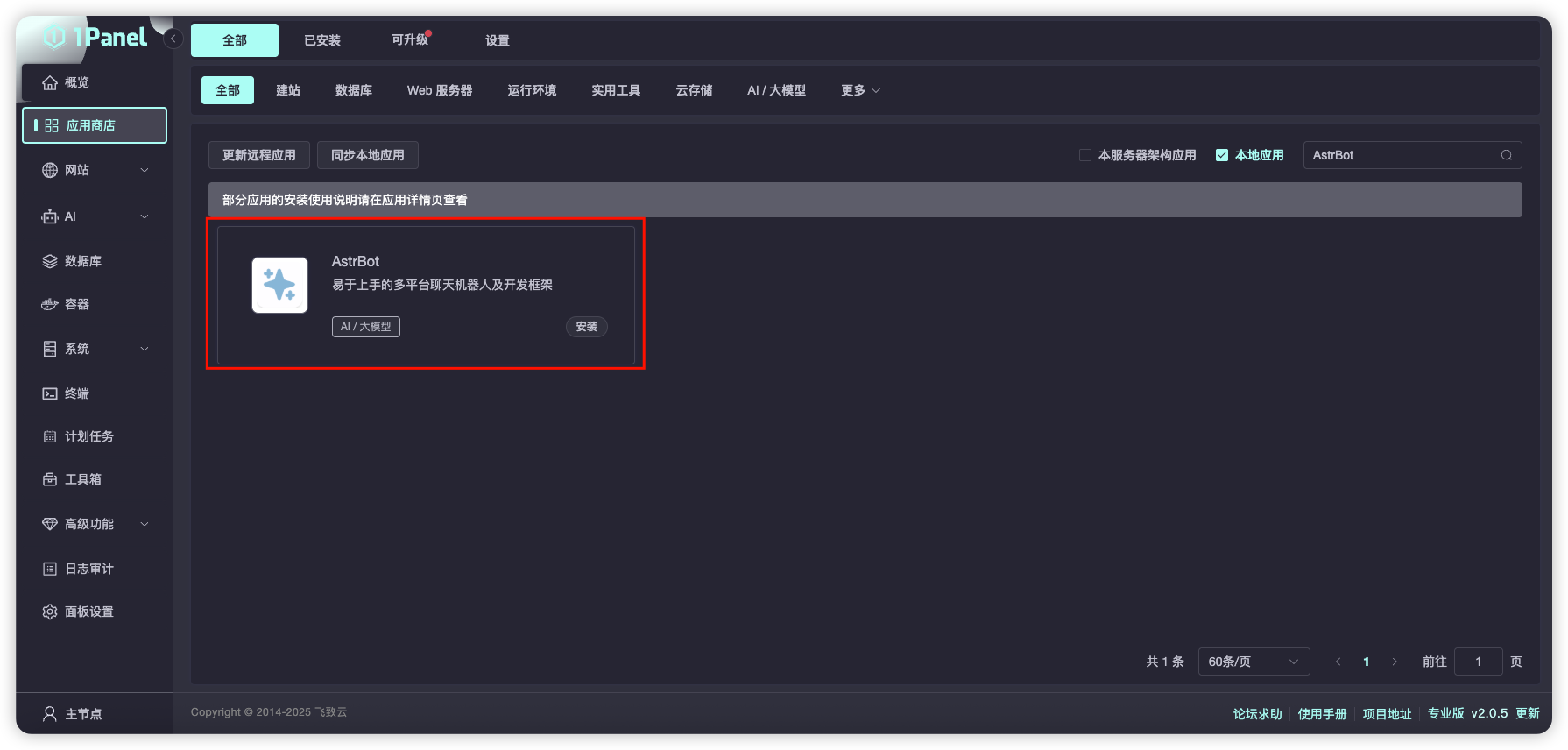 | |
| Click `Install` and wait for the installation to complete. | |
| After successful installation, open the corresponding AstrBot port (default is 7860) in the 1Panel System-Firewall page. | |
| If you are using cloud servers from providers like AWS, Alibaba Cloud, Tencent Cloud, etc., make sure their security groups also allow port 7860. | |
| ## Access AstrBot | |
| Visit `http://IP:7860` to access the AstrBot dashboard. | |