

verl Profiler System
Last updated: 08/18/2025.
Architecture
The architecture of verl profiler system is like below:
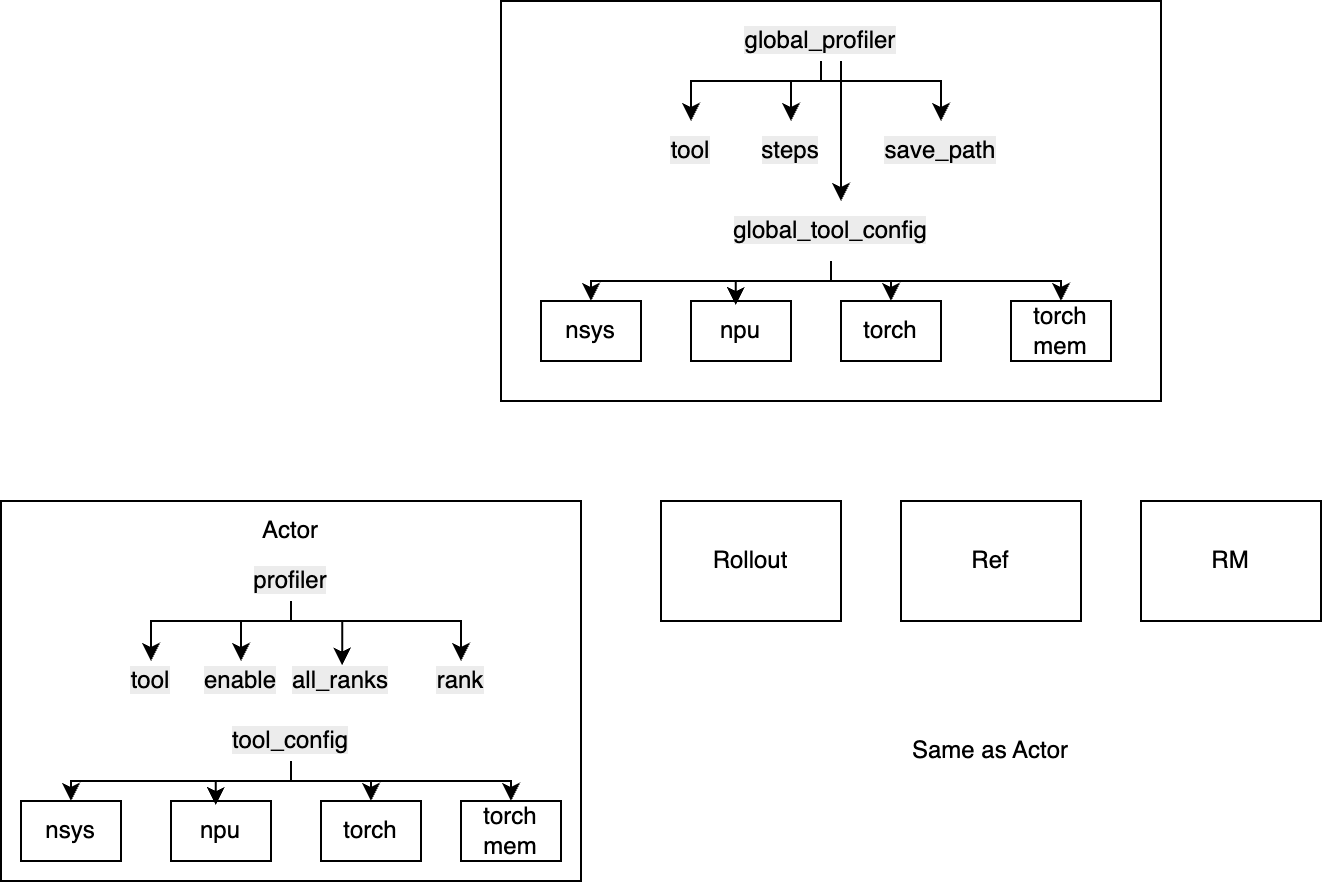
There is a global profiler and tool configuration to set some common config in single controller level, deciding
tool: which tool to usesteps: which steps to profilesave_path: results saving path
When some tool need to profile behavior of each role, configurations in role-level is needed:
tool: which tool to useenable: whether enable profiling on this role- rank info:
all_ranksandrankto decide which rank to profile or log output
For tool config in role-level, there are some detailed behavior needed to control, like the discrete mode in nsys profiler.
Every role has a profiler config, and by default, rollout/ref/reward models follow the Actor's behavior.
To Add a new profiling tool
New added profiling tool shall reuse the current APIs as much as possible.
- The logic of whether to use the tool:
tool == [new tool]. - Add the global and local tool config to
ppo_trainer.yaml/ppo_megatron_trainer.yamland each[role].yaml, underglobal_tool_config.[new tool]andtool_config.[new tool] - The tool config should be implemented in
verl/utils/profiler/config.py, inherit theBaseConfigclass. - Implement profiling tool initialization logic using configurations in
global_profiler.global_tool_config.[new tool]and the results saving logics (can also save in role-level profile) - For role function-level profiling, please follow the nsys profiler way in
nvtx_profiler.py, implement a profiler class inheritDistProfilerand import new profiler inverl/utils/profiler/__init__.py - Add unit test and examples for others to use in convinience.