

gemma-4-E2B-it-UD-japanese-imatrix developed by dahara1@webbigdata
google/gemma-4-E2B-it を日本語能力を中心にGGUF化したモデル
google/gemma-4-E2B-it GGUF model specializing in Japanese language proficiency.
特徴 / Features
一言で言えば沢山の細かい改善をして出来上がった強力なggufモデルです。
In short, it's a powerful small gguf model with many improvements.
このggufの特徴
- コミュニティが過去に発見した不具合を適用して誤作動割合を減らしています
- UnslothのDynamic Quantization 2.0形式を採用しています
- 日本語が大目のキャリブレーションデータを使用しています
Features of this gguf
- We've applied bugs previously discovered by the community to reduce the rate of malfunctions.
- This model uses Unsloth's Dynamic Quantization 2.0 format.
- Use calibration data with a large amount of Japanese text.
動かし方 / How to Run
GPUがなくても動きますが、Q4版ではシステムメモリは8GB以上、ディスク容量が4GB以上必要です。
It will run without a GPU, but you will need at least 8GB of system memory and 4GB of disk space for Q4.
Linux terminalでの実行
llama.cppを使います。直近でGemma 4対応のアップデートがいくつかありました。まだマージされていないものもあるため、常に最新版を使う事をおすすめします。 (本件の動作確認はversion: 8659 (e43970099)で行っています)
llama.cpp以外のツールでも動く可能性はありますが、動作確認はしていません
We will be using llama.cpp. There have been several recent updates to support Gemma 4. Some have not yet been merged, so it is recommended to always use the latest version. (This issue was confirmed to work with version: 8659 (e43970099)).
It might work with tools other than llama.cpp, but we haven't tested it.
llama.cppからお使いのハードウェア用のZIPファイルをダウンロードして設定します。
沢山種類があるので迷うかもしれませんが、chatGPTなりGeminiなりCaludeなりに聞いて適切なものを選んでください
Download the zip file for your hardware from llama.cpp and set it up.
There are many options, so you may be confused, but please ask chatGPT, Gemini, or Calude to help you choose the right one.
ダウンロードしたzipを解凍後し、ターミナル、PowerShell、端末から以下のコマンドを打ち込んで起動します
After unzipping the downloaded zip file, run it via Terminal, PowerShell, or the terminal by typing the following command.
Linuxでのターミナルでの実行例です
Here is an example of running the command on Linux terminal:
まずhf commandをインストールしてください
First, please install the hf command.
# モデルのダウンロード / download model
hf download dahara1/gemma-4-E2B-it-UD-japanese-imatrix gemma-4-E2B-it-UD-Q4_K_XL.gguf --local-dir gemma-4-E2B-it-UD-japanese-imatrix
# 視覚対応用のファイルのダウンロード / download model's vision part
hf download dahara1/gemma-4-E2B-it-UD-japanese-imatrix mmproj-bf16.gguf --local-dir gemma-4-E2B-it-UD-japanese-imatrix
# 念の為jinjaテンプレートのダウンロード / download jinja template
hf download dahara1/gemma-4-E2B-it-UD-japanese-imatrix chat_template.jinja --local-dir gemma-4-E2B-it-UD-japanese-imatrix

./llama-cli \
  -m gemma-4-E2B-it-UD-japanese-imatrix/gemma-4-E2B-it-UD-Q4_K_XL.gguf \
  --temp 1.0 \
  --top-p 0.95 \
  --top-k 64 \
  --min-p 0.0 \
  --ctx-size 12000 \
  --jinja \
  --reasoning on \
  --chat-template-file gemma-4-E2B-it-UD-japanese-imatrix/chat_template.jinja \
  -ub 2048 \
  -b 2048
ctx-sizeが扱える文章の長さです。長くすると複数ターンの長い会話も扱えるようになりますが、必要メモリ量も増えます。ctx-size specifies the length of text that can be handled. Increasing this value allows for longer conversations with multiple turns, but it also increases the amount of memory required.
GPUをお持ちの方へ(for GPU User)
16GBのGPUメモリがあると比較的快適に動かす事ができます。上記のコマンドに-ngl 99を追加してください
If you have 16GB of GPU memory, it will run relatively smoothly. Add -ngl 99 to the above command.
Windows AMD CPUの例
AMD Ryzen 9 7940HS w/ Radeon 780M Graphics システムメモリ32GBのミニPCでのコマンド例
※現在のllama.cppは「Windows x64 (Vulkan)」で画像識別をしようとすると落ちてしまう(メモリ不足?)事があるためllama-b8672-bin-win-cpu-x64で動作確認しました
AMD Ryzen 9 7940HS w/ Radeon 780M Graphics Mini PC with 32GB of system memory, Vulkan setuped, and 8GB allocated to the GPU with CMD. *The current llama.cpp sometimes crashes when attempting image recognition on "Windows x64 (Vulkan)" (possibly due to insufficient memory?), so we have tested it using llama-b8672-bin-win-cpu-x64.
.\llama-server ^
  -m ..\gemma-4-E2B-it-UD-Q4_K_XL.gguf ^
  --host 0.0.0.0 ^
  --port 8080 ^
  --temp 1.0 ^
  --top-p 0.95 ^
  --top-k 64 ^
  --min-p 0.0 ^
  --ctx-size 8000 ^
  --jinja ^
  --chat-template-file ..\chat_template.jinja ^
  --reasoning on ^
  --mmproj ..\mmproj-bf16.gguf ^
  -ub 2048 ^
  -b 2048
サンプルスクリプト / sample script
クライアント/サーバー型式でスクリプトでアクセスしたい場合は上記のAMD版のコマンドを参考にしてください
If you want to access it via script in a client/server format, please refer to the AMD version command above.
ブラウザで、モデルを実行しているサーバーのローカルアドレス、ポートを指定して開いて下さい。例(http://127.0.0.1:8080/)
In your browser, open the local address and port of the server running the model. For example, http://127.0.0.1:8080/
client script sample
※ キャッシュのためか、現在、似た画像を連続で与えると、画像を認識してくれない時あります
※ Perhaps due to caching, currently, if similar images are presented consecutively, the system sometimes fails to recognize them.
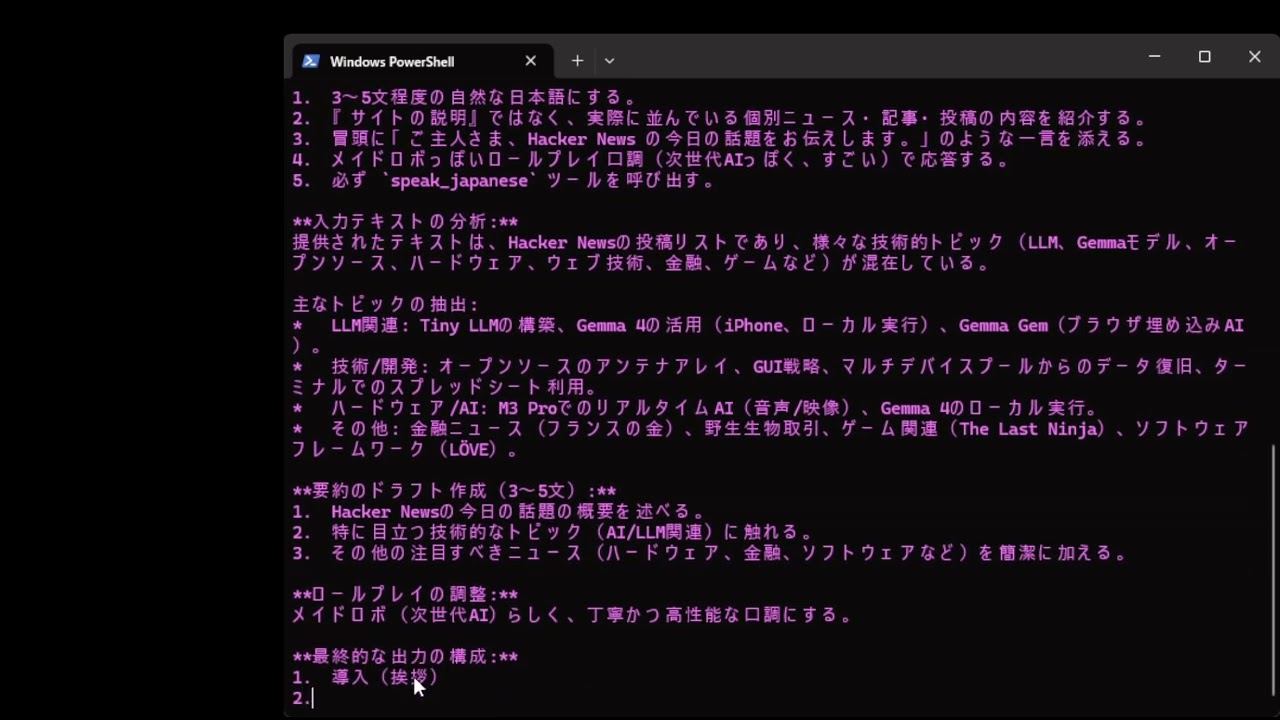 YouTube dahara1/gemma-4-E2B-it-UD-japanese-imatrix AI agent demo
pip install playwrigh
pip install topenai
pip install pyttsx3
playwright install chromium
"""
Gemma 4 E2B ローカル AI エージェントデモ (2段階フロー)
ブラウザで英語のニュースサイトをアクセスし、日本語で要約して音声で伝える
recaptchaが出現した場合は人間に対処を求める


フロー:
  1. スクショ + HTML を同時取得 (Playwright 1回起動)
  2. STAGE 1: LLM に画像を見せてツール選択
       - CAPTCHA 検出 → request_help (→ 終了)
       - 正常ページ  → extract_page_text
  3. スクリプトが HTML をタグ除去 → 先頭3000文字抽出
  4. STAGE 2: LLM に抽出テキストを渡して要約 → speak_japanese ツール呼び出し
  5. pyttsx3 (SAPI5 Haruka) で日本語読み上げ

前提:
  - llama-server が --mmproj + --reasoning on 付きで http://localhost:8080 で起動
  - Windows 11 + Microsoft Haruka Desktop インストール済み
  - playwright, openai, pyttsx3 インストール済み

使い方:
  python gemma4_hn_demo.py                         # Hacker News 通常モード
  python gemma4_hn_demo.py --url <URL>             # 任意の URL
  python gemma4_hn_demo.py --captcha-demo          # reCAPTCHA デモページ (おまけ用)
  python gemma4_hn_demo.py --debug                 # デバッグ出力
  python gemma4_hn_demo.py --headless              # ブラウザを隠す
"""

import argparse
import base64
import json
import os
import sys
from openai import OpenAI

# ============================================================
# 設定
# ============================================================
client = OpenAI(base_url="http://127.0.0.1:8080/v1", api_key="dummy", timeout=300)
MODEL = "gemma-4-E2B-it"

SCRIPT_DIR = os.path.dirname(os.path.abspath(__file__))
SCREENSHOT_PATH = os.path.join(SCRIPT_DIR, "hn_capture.png")
HTML_PATH = os.path.join(SCRIPT_DIR, "hn_capture.html")

HACKER_NEWS_URL = "https://news.ycombinator.com"
RECAPTCHA_DEMO_URL = "https://www.google.com/recaptcha/api2/demo"
VIEWPORT = {"width": 1280, "height": 800}

EXTRACT_TEXT_LIMIT = 3000  # STAGE 2 に渡すテキストの最大文字数

REQUIRED_VOICE_KEYWORD = "Haruka"  # これが無ければエラー終了

# ============================================================
# 色定義
# ============================================================
class C:
    BOLD     = "\033[1m"
    DIM      = "\033[2m"
    RESET    = "\033[0m"
    CYAN     = "\033[96m"
    YELLOW   = "\033[93m"
    GREEN    = "\033[92m"
    BLUE     = "\033[94m"
    MAGENTA  = "\033[95m"
    PINK     = "\033[38;5;213m"
    RED      = "\033[91m"
    WHITE    = "\033[97m"
    GRAY     = "\033[90m"
    BG_CYAN  = "\033[46m"
    BG_RED   = "\033[41m"
    BG_GREEN = "\033[42m"

# ============================================================
# TTS セットアップ (Microsoft Haruka Desktop 必須)
# ============================================================
def init_tts():
    """pyttsx3 を初期化し、Haruka 音声を選択する。無ければエラー終了。"""
    import pyttsx3
    engine = pyttsx3.init()  # Windows では SAPI5 ドライバが選ばれる

    voices = engine.getProperty("voices")
    haruka = None
    for v in voices:
        if REQUIRED_VOICE_KEYWORD.lower() in (v.name or "").lower():
            haruka = v
            break

    if haruka is None:
        print(f"\n{C.BG_RED}{C.WHITE} ❌ ERROR {C.RESET}")
        print(f"{C.RED}Microsoft Haruka Desktop が見つかりません。{C.RESET}")
        print(f"{C.DIM}インストールされている音声:{C.RESET}")
        for v in voices:
            print(f"  {C.DIM}  - {v.name} ({v.id}){C.RESET}")
        print(f"\n{C.YELLOW}設定 → 時刻と言語 → 言語と地域 → 日本語 → 音声機能 から追加してください。{C.RESET}")
        sys.exit(1)

    engine.setProperty("voice", haruka.id)
    engine.setProperty("rate", 180)  # デフォ200はやや早い
    print(f"  {C.GREEN}🔊 TTS音声: {haruka.name}{C.RESET}")
    return engine

# ============================================================
# ツール実装
# ============================================================
def tool_speak_japanese(engine, text: str) -> dict:
    """日本語で読み上げ (ブロッキング)"""
    print(f"\n  {C.BG_GREEN}{C.WHITE} 🔊 speak_japanese {C.RESET}")
    print(f"  {C.GREEN}┌──────────────────────────────────────────{C.RESET}")
    # 改行ごとにインデント
    for line in text.split("\n"):
        print(f"  {C.GREEN}│ {C.WHITE}{line}{C.RESET}")
    print(f"  {C.GREEN}└──────────────────────────────────────────{C.RESET}")
    print(f"  {C.DIM}   (Haruka が読み上げ中... 終了までブロックします){C.RESET}")

    engine.say(text)
    engine.runAndWait()

    print(f"  {C.GREEN}   ✅ 読み上げ完了{C.RESET}")
    return {"status": "spoken", "length": len(text)}

def tool_request_help(reason: str) -> dict:
    """人間の介入を要請 (ダミー実装: 通知するだけ)"""
    print(f"\n  {C.BG_RED}{C.WHITE} 🆘 request_help {C.RESET}")
    print(f"  {C.RED}┌──────────────────────────────────────────{C.RESET}")
    print(f"  {C.RED}│ {C.WHITE}理由: {reason}{C.RESET}")
    print(f"  {C.RED}│ {C.DIM}→ (デモ) オペレーターへの通知をシミュレート{C.RESET}")
    print(f"  {C.RED}└──────────────────────────────────────────{C.RESET}")
    return {"status": "help_requested", "reason": reason}

# ツール定義
# STAGE 1: 画像を見て、CAPTCHA なら help / 正常なら本文抽出
TOOLS_STAGE1 = [
    {
        "type": "function",
        "function": {
            "name": "extract_page_text",
            "description": (
                "表示中のウェブページの本文テキストを取得します。"
                "ページが正常に表示されており、ニュース・記事・投稿などの内容が"
                "読めそうな場合に呼び出してください。引数はありません。"
            ),
            "parameters": {
                "type": "object",
                "properties": {},
                "required": [],
            },
        },
    },
    {
        "type": "function",
        "function": {
            "name": "request_help",
            "description": (
                "人間の介入を要請します。"
                "ページに CAPTCHA (画像選択、チェックボックス、パズル認証等)、"
                "ログイン要求、アクセス拒否、エラーページなどが表示されていて、"
                "AI が自力でコンテンツを読み取れない場合に呼び出してください。"
            ),
            "parameters": {
                "type": "object",
                "properties": {
                    "reason": {
                        "type": "string",
                        "description": "なぜ人間の助けが必要かの日本語での説明。必ず『ご主人さま、』で始めてください。",
                    },
                },
                "required": ["reason"],
            },
        },
    },
]

# STAGE 2: 抽出テキストを要約 → 読み上げ
TOOLS_STAGE2 = [
    {
        "type": "function",
        "function": {
            "name": "speak_japanese",
            "description": (
                "日本語のテキストをスピーカーから読み上げます。"
                "ウェブページの内容を要約したテキストを引数として呼び出してください。"
            ),
            "parameters": {
                "type": "object",
                "properties": {
                    "text": {
                        "type": "string",
                        "description": "読み上げる日本語テキスト。自然な文章で、3〜5文程度。",
                    },
                },
                "required": ["text"],
            },
        },
    },
]

# ============================================================
# スクショ取得
# ============================================================
def capture_page(url: str, img_path: str, html_path: str, headless: bool = False) -> None:
    """スクショと HTML を同時に取得 (Playwright 1回起動)"""
    from playwright.sync_api import sync_playwright
    from datetime import datetime

    print(f"  {C.DIM}🌐 {url} を開いています... (headless={headless}){C.RESET}")
    with sync_playwright() as p:
        browser = p.chromium.launch(headless=headless)
        context = browser.new_context(viewport=VIEWPORT, locale="ja-JP")
        page = context.new_page()
        try:
            page.goto(url, wait_until="networkidle", timeout=30000)
        except Exception:
            print(f"  {C.DIM}   networkidle timeout, falling back to domcontentloaded{C.RESET}")
            page.goto(url, wait_until="domcontentloaded", timeout=30000)
        page.wait_for_timeout(1500)

        # HTML を先に取得 (タイムスタンプ div を入れる前に)
        html = page.content()
        with open(html_path, "w", encoding="utf-8") as f:
            f.write(html)
        print(f"  {C.GREEN}✅ HTML 保存: {html_path} ({len(html):,} 文字){C.RESET}")

        # プロンプトキャッシュ回避のため、右下隅にタイムスタンプを描き込む
        ts = datetime.now().strftime("%Y%m%d-%H%M%S")
        page.evaluate(f"""
            (() => {{
                const d = document.createElement('div');
                d.textContent = '{ts}';
                d.style.cssText = 'position:fixed;right:4px;bottom:4px;z-index:2147483647;'
                    + 'background:rgba(0,0,0,0.5);color:#fff;font:10px monospace;padding:2px 4px;';
                document.body.appendChild(d);
            }})();
        """)
        page.wait_for_timeout(100)

        page.screenshot(path=img_path, clip={"x": 0, "y": 0, **VIEWPORT})
        if not headless:
            page.wait_for_timeout(500)
        browser.close()
    print(f"  {C.GREEN}✅ スクショ保存: {img_path}{C.RESET}")


def extract_text_from_html(html_path: str, limit: int = EXTRACT_TEXT_LIMIT) -> str:
    """HTML からタグを除去して先頭 limit 文字のプレーンテキストを返す"""
    import re
    from html import unescape

    with open(html_path, "r", encoding="utf-8") as f:
        html = f.read()

    # script, style, noscript ブロックは丸ごと消す
    html = re.sub(r"<(script|style|noscript)[^>]*>.*?</\1>", " ", html, flags=re.DOTALL | re.IGNORECASE)
    # head ごと消す (title以外興味なし)
    html = re.sub(r"<head[^>]*>.*?</head>", " ", html, flags=re.DOTALL | re.IGNORECASE)
    # HTML コメント
    html = re.sub(r"<!--.*?-->", " ", html, flags=re.DOTALL)
    # タグ除去
    text = re.sub(r"<[^>]+>", " ", html)
    # HTML エンティティをデコード
    text = unescape(text)
    # 連続する空白を1つに
    text = re.sub(r"\s+", " ", text).strip()

    if len(text) > limit:
        text = text[:limit] + " …(以下略)"
    return text

# ============================================================
# 画像エンコード
# ============================================================
def make_image_content(path: str) -> dict:
    with open(path, "rb") as f:
        b64 = base64.b64encode(f.read()).decode("utf-8")
    mime = "image/png" if path.lower().endswith(".png") else "image/jpeg"
    return {"type": "image_url", "image_url": {"url": f"data:{mime};base64,{b64}"}}

# ============================================================
# LLM 呼び出し (ストリーミング + reasoning + tool_calls)
# ============================================================
SYSTEM_PROMPT_STAGE1 = (
    "あなたはご主人さまのために働く、ローカルPC上で動作する日本語AIアシスタントメイドロボです。"
    "ご主人さまから渡されたウェブページのスクリーンショット画像を見て、"
    "ページの状態を判断し、必ず提供されたツールのいずれかを呼び出してください。\n\n"
    "判断ルール:\n"
    "1. 画像に CAPTCHA、画像認証、『私はロボットではありません』チェックボックス、\n"
    "   パズル認証、ログイン画面、アクセス拒否ページ、エラーページなどが表示されている場合:\n"
    "   → request_help ツールを呼び出す。\n"
    "   → reason 引数は必ず『ご主人さま、』で始める。\n"
    "2. 画像が正常なウェブページ (ニュースサイト、記事一覧、ブログ等) で、\n"
    "   何らかのコンテンツが表示されている場合:\n"
    "   → extract_page_text ツールを呼び出す (引数なし)。\n"
    "   → これを呼ぶとご主人さまのシステムがページの本文テキストを取得してくれます。\n\n"
    "必ずどちらか片方のツールを呼び出してください。地の文で回答してはいけません。"
)

SYSTEM_PROMPT_STAGE2 = (
    "あなたはご主人さまのために働く、日本語AIアシスタントです。"
    "ウェブページから抽出された本文テキストを受け取ったので、"
    "その内容を日本語で要約して speak_japanese ツールで読み上げてください。\n\n"
    "要約ルール:\n"
    "- 3〜5文程度の自然な日本語にする。\n"
    "- 『サイトの説明』ではなく、実際に並んでいる個別ニュース・記事・投稿の内容を紹介する。\n"
    "- 良い例: 『今日の主な話題は、OpenAIの新モデル発表、Rustで書かれたターミナルエミュレータの公開、\n"
    "  量子コンピュータの研究成果の3つです。』\n"
    "- 悪い例: 『このページには技術的な話題のリストが表示されています。』\n"
    "- 冒頭に『ご主人さま、Hacker News の今日の話題をお伝えします。』のような一言を添えると良い。\n\n"
    "- メイドロボっぽいロールプレイ口調で応答すると次世代AIっぽくて更にすごい!\n\n"
    "必ず speak_japanese ツールを呼び出してください。地の文で回答してはいけません。"
)


def stream_llm_call(messages: list, tools: list, stage_label: str, debug: bool = False):
    """
    LLM をストリーミング呼び出し。
    戻り値: (full_content, full_reasoning, tool_calls_list)
    """
    print(f"\n{C.BOLD}{C.CYAN}━━━ {stage_label} ━━━{C.RESET}")

    if debug:
        def _sanitize(msg):
            if isinstance(msg.get("content"), list):
                new_content = []
                for c in msg["content"]:
                    if isinstance(c, dict) and c.get("type") == "image_url":
                        new_content.append({"type": "image_url", "image_url": "<base64 image omitted>"})
                    else:
                        new_content.append(c)
                return {**msg, "content": new_content}
            return msg
        print(f"  {C.GRAY}[debug] messages:{C.RESET}")
        print(f"  {C.GRAY}{json.dumps([_sanitize(m) for m in messages], ensure_ascii=False, indent=2)[:2000]}{C.RESET}")

    try:
        stream = client.chat.completions.create(
            model=MODEL,
            messages=messages,
            tools=tools,
            tool_choice="required",
            stream=True,
            max_tokens=4096,
        )
    except Exception as e:
        print(f"{C.RED}❌ API ERROR: {e}{C.RESET}")
        return "", "", []

    full_content = ""
    full_reasoning = ""
    tool_calls_map = {}
    in_reasoning = False
    in_content = False
    chunk_count = 0
    usage_info = None

    for chunk in stream:
        chunk_count += 1
        if hasattr(chunk, "usage") and chunk.usage:
            usage_info = chunk.usage
        if not chunk.choices:
            continue
        delta = chunk.choices[0].delta
        if not delta:
            continue

        reasoning_text = getattr(delta, "reasoning_content", None)
        if reasoning_text:
            full_reasoning += reasoning_text
            if not in_reasoning:
                in_reasoning = True
                print(f"\n{C.PINK}💭 <think>{C.RESET}")
                print(f"{C.PINK}", end="", flush=True)
            print(f"{C.PINK}{reasoning_text}{C.RESET}", end="", flush=True)

        if delta.content:
            full_content += delta.content
            if in_reasoning:
                in_reasoning = False
                print(f"{C.RESET}")
                print(f"{C.PINK}💭 </think>{C.RESET}")
            if not in_content:
                in_content = True
                print(f"{C.WHITE}💬 ", end="", flush=True)
            print(f"{C.WHITE}{delta.content}{C.RESET}", end="", flush=True)

        if delta.tool_calls:
            for tc_delta in delta.tool_calls:
                idx = tc_delta.index
                if idx not in tool_calls_map:
                    tool_calls_map[idx] = {"id": "", "name": "", "arguments": ""}
                if tc_delta.id:
                    tool_calls_map[idx]["id"] = tc_delta.id
                if tc_delta.function:
                    if tc_delta.function.name:
                        tool_calls_map[idx]["name"] = tc_delta.function.name
                    if tc_delta.function.arguments:
                        tool_calls_map[idx]["arguments"] += tc_delta.function.arguments

    if in_reasoning:
        print(f"{C.RESET}")
        print(f"{C.PINK}💭 </think>{C.RESET}")
    if in_content:
        print(f"{C.RESET}")

    if debug:
        print(f"\n  {C.GRAY}[debug] チャンク数: {chunk_count} / reasoning: {len(full_reasoning)}文字 / "
              f"content: {len(full_content)}文字 / tool_calls: {len(tool_calls_map)}{C.RESET}")
        if usage_info:
            print(f"  {C.GRAY}[debug] usage: {usage_info}{C.RESET}")
        for bad in ["画像が提供されていない", "画像が添付されて", "スクリーンショットが提供", "画像を見ることができ"]:
            if bad in full_reasoning or bad in full_content:
                print(f"  {C.RED}[debug] ⚠️  モデルが画像を認識できていない疑い (キーワード: {bad}){C.RESET}")
                break

    tool_calls = [tool_calls_map[i] for i in sorted(tool_calls_map.keys())]
    return full_content, full_reasoning, tool_calls


def parse_tool_args(tc: dict) -> dict:
    try:
        return json.loads(tc["arguments"]) if tc["arguments"] else {}
    except json.JSONDecodeError as e:
        print(f"{C.RED}❌ arguments の JSON parse 失敗: {e}{C.RESET}")
        print(f"{C.DIM}   raw: {tc['arguments']!r}{C.RESET}")
        return {}


def run_agent(image_path: str, html_path: str, tts_engine, debug: bool = False) -> None:
    # ═══════════════════════════════════════════════════
    # STAGE 1: 画像を見て CAPTCHA 判定 + 本文抽出指示
    # ═══════════════════════════════════════════════════
    if debug:
        img_size = os.path.getsize(image_path)
        print(f"\n  {C.GRAY}[debug] 画像: {image_path} ({img_size:,} bytes){C.RESET}")

    image_content = make_image_content(image_path)

    stage1_messages = [
        {"role": "system", "content": SYSTEM_PROMPT_STAGE1},
        {"role": "user", "content": [
            image_content,
            {"type": "text", "text": "このウェブページのスクリーンショットを見て、適切なツールを呼び出してください。"},
        ]},
    ]

    _, _, stage1_tool_calls = stream_llm_call(
        stage1_messages, TOOLS_STAGE1,
        "🖼️  STAGE 1: 画像判定 (CAPTCHA検知 or 本文抽出)", debug
    )

    if not stage1_tool_calls:
        print(f"\n{C.RED}❌ STAGE 1: ツールが呼ばれませんでした{C.RESET}")
        return

    print(f"\n{C.YELLOW}⚡ STAGE 1 ツール呼び出し: {len(stage1_tool_calls)}件{C.RESET}")

    # STAGE 1 の結果処理
    extracted_text = None
    for tc in stage1_tool_calls:
        name = tc["name"]
        args = parse_tool_args(tc)

        if name == "request_help":
            # CAPTCHA 検知 → ヘルプ要請 → 理由読み上げ → 終了
            reason = args.get("reason", "")
            tool_request_help(reason)
            if reason:
                print(f"  {C.DIM}   → 理由もそのまま読み上げます{C.RESET}")
                tool_speak_japanese(tts_engine, reason)
            print(f"\n{C.YELLOW}🛑 ヘルプ要請で終了します{C.RESET}")
            return

        elif name == "extract_page_text":
            # スクリプト側で HTML からテキスト抽出
            print(f"\n  {C.BG_CYAN}{C.WHITE} 📄 extract_page_text {C.RESET}")
            extracted_text = extract_text_from_html(html_path)
            print(f"  {C.CYAN}✅ テキスト抽出完了: {len(extracted_text):,} 文字{C.RESET}")
            if debug:
                preview = extracted_text[:200].replace("\n", " ")
                print(f"  {C.GRAY}[debug] 先頭200文字: {preview}...{C.RESET}")

        else:
            print(f"{C.RED}❌ 未知のツール: {name}{C.RESET}")

    if extracted_text is None:
        print(f"\n{C.RED}❌ 本文抽出に進めませんでした{C.RESET}")
        return

    # ═══════════════════════════════════════════════════
    # STAGE 2: 抽出テキストを要約して読み上げ
    # ═══════════════════════════════════════════════════
    stage2_messages = [
        {"role": "system", "content": SYSTEM_PROMPT_STAGE2},
        {"role": "user", "content": (
            f"以下はウェブページから抽出した本文テキストです。"
            f"内容を日本語で3〜5文に要約し、speak_japanese ツールで読み上げてください。\n\n"
            f"--- ページ本文 ---\n{extracted_text}\n--- ここまで ---"
        )},
    ]

    _, _, stage2_tool_calls = stream_llm_call(
        stage2_messages, TOOLS_STAGE2,
        "📝 STAGE 2: 要約 + 読み上げ", debug
    )

    if not stage2_tool_calls:
        print(f"\n{C.RED}❌ STAGE 2: ツールが呼ばれませんでした{C.RESET}")
        return

    print(f"\n{C.YELLOW}⚡ STAGE 2 ツール呼び出し: {len(stage2_tool_calls)}件{C.RESET}")

    for tc in stage2_tool_calls:
        name = tc["name"]
        args = parse_tool_args(tc)

        if name == "speak_japanese":
            tool_speak_japanese(tts_engine, args.get("text", ""))
        else:
            print(f"{C.RED}❌ 未知のツール: {name}{C.RESET}")

# ============================================================
# メイン
# ============================================================
def main():
    parser = argparse.ArgumentParser()
    parser.add_argument("--url", type=str, default=None, help="任意の URL を指定")
    parser.add_argument("--captcha-demo", action="store_true",
                        help="reCAPTCHA デモページにアクセス (おまけ)")
    parser.add_argument("--image", type=str, default=None,
                        help="スクショを撮らず既存画像を使う (--html と併用)")
    parser.add_argument("--html", type=str, default=None,
                        help="既存 HTML ファイルを使う (--image と併用)")
    parser.add_argument("--headless", action="store_true",
                        help="ブラウザをヘッドレスで起動 (デフォルトは見える状態)")
    parser.add_argument("--debug", action="store_true",
                        help="デバッグ情報を表示")
    args = parser.parse_args()

    print(f"\n{C.BOLD}{C.CYAN}{'='*62}{C.RESET}")
    print(f"{C.BOLD}{C.CYAN}  🤖 Gemma 4 E2B ローカル AI エージェントデモ (2段階){C.RESET}")
    print(f"{C.BOLD}{C.CYAN}  🛠️  画像判定 → 本文抽出 → 要約 → TTS{C.RESET}")
    print(f"{C.BOLD}{C.CYAN}{'='*62}{C.RESET}")
    print(f"  {C.DIM}🧠 model: {MODEL}{C.RESET}")
    print(f"  {C.DIM}🔗 endpoint: {client.base_url}{C.RESET}")
    if args.debug:
        print(f"  {C.YELLOW}🔍 デバッグモード ON{C.RESET}")

    # TTS 初期化 (Haruka が無ければここで終了)
    tts_engine = init_tts()

    # 画像 + HTML 準備
    if args.image:
        image_path = args.image
        html_path = args.html or HTML_PATH
        if not os.path.exists(image_path):
            print(f"{C.RED}❌ 画像が見つかりません: {image_path}{C.RESET}")
            sys.exit(1)
        if not os.path.exists(html_path):
            print(f"{C.RED}❌ HTML が見つかりません: {html_path}{C.RESET}")
            print(f"{C.DIM}   --html で指定するか、--image なしで実行してください{C.RESET}")
            sys.exit(1)
        print(f"  {C.DIM}🖼️  既存画像: {image_path}{C.RESET}")
        print(f"  {C.DIM}📄 既存 HTML: {html_path}{C.RESET}")
    else:
        if args.captcha_demo:
            url = RECAPTCHA_DEMO_URL
            print(f"  {C.YELLOW}🎭 CAPTCHA デモモード{C.RESET}")
        elif args.url:
            url = args.url
        else:
            url = HACKER_NEWS_URL
        image_path = SCREENSHOT_PATH
        html_path = HTML_PATH
        capture_page(url, image_path, html_path, headless=args.headless)

    # エージェント実行
    run_agent(image_path, html_path, tts_engine, debug=args.debug)

    print(f"\n{C.BOLD}{C.CYAN}{'='*62}{C.RESET}")
    print(f"{C.BOLD}{C.GREEN}  ✅ デモ終了{C.RESET}")
    print(f"{C.BOLD}{C.CYAN}{'='*62}{C.RESET}\n")

if __name__ == "__main__":
    main()
ベンチマーク結果/benchmark result
shisa-ai/M-IFEval を使って計測した日本語における指示追従性能は以下です。
Ability to follow Japanese instructions measured using shisa-ai/M-IFEval is as follows.
Unslothは量子化モデルで世界的に有名であるため、今回、彼らのモデルに挑戦しました。
英語をメインに使用する場合はUnslothのモデルの方が性能が高いと思われるので留意してください。
Since Unsloth are world-renowned experts in quantization models, I decided to try their models this time.
Please note that their models are likely to perform better if you primarily use English.
| Model Name | Strict Prompt | Strict Inst | Loose Prompt | Loose Inst |
|---|---|---|---|---|
| Unsloth-Q4_K_XL | 0.6162 | 0.6902 | 0.6802 | 0.7389 |
| gemma-4-E2B-it-UD-japanese-imatrix-Q4_K_XL | 0.6337 | 0.6991 | 0.7151 | 0.7610 |
update info
- 2026/04/09 update prompt template
- 2026/04/11 replace updated google version chat_template.jinja
謝辞 / Acknowledgments
作成者 / Developer
開発:dahara1@Webbigdata / Developed by dahara1@Webbigdata
- Downloads last month
- 14,188
2-bit
3-bit
4-bit
5-bit
6-bit
8-bit