

File size: 3,254 Bytes
8ede856 | 1 2 3 4 5 6 7 8 9 10 11 12 13 14 15 16 17 18 19 20 21 22 23 24 25 26 27 28 29 30 31 32 33 34 35 36 37 38 39 40 41 42 43 44 45 46 47 48 49 50 51 52 53 54 55 56 57 58 59 60 61 62 63 64 65 66 67 68 69 70 71 72 73 74 75 76 77 78 79 80 81 82 83 84 85 86 87 88 89 90 91 92 93 94 95 96 97 98 99 100 101 102 | # MCP
MCP(Model Context Protocol,模型上下文协议) 是一种新的开放标准协议,用来在大模型和数据源之间建立安全双向的链接。简单来说,它将函数工具单独抽离出来作为一个独立的服务,AstrBot 通过 MCP 协议远程调用函数工具,函数工具返回结果给 AstrBot。
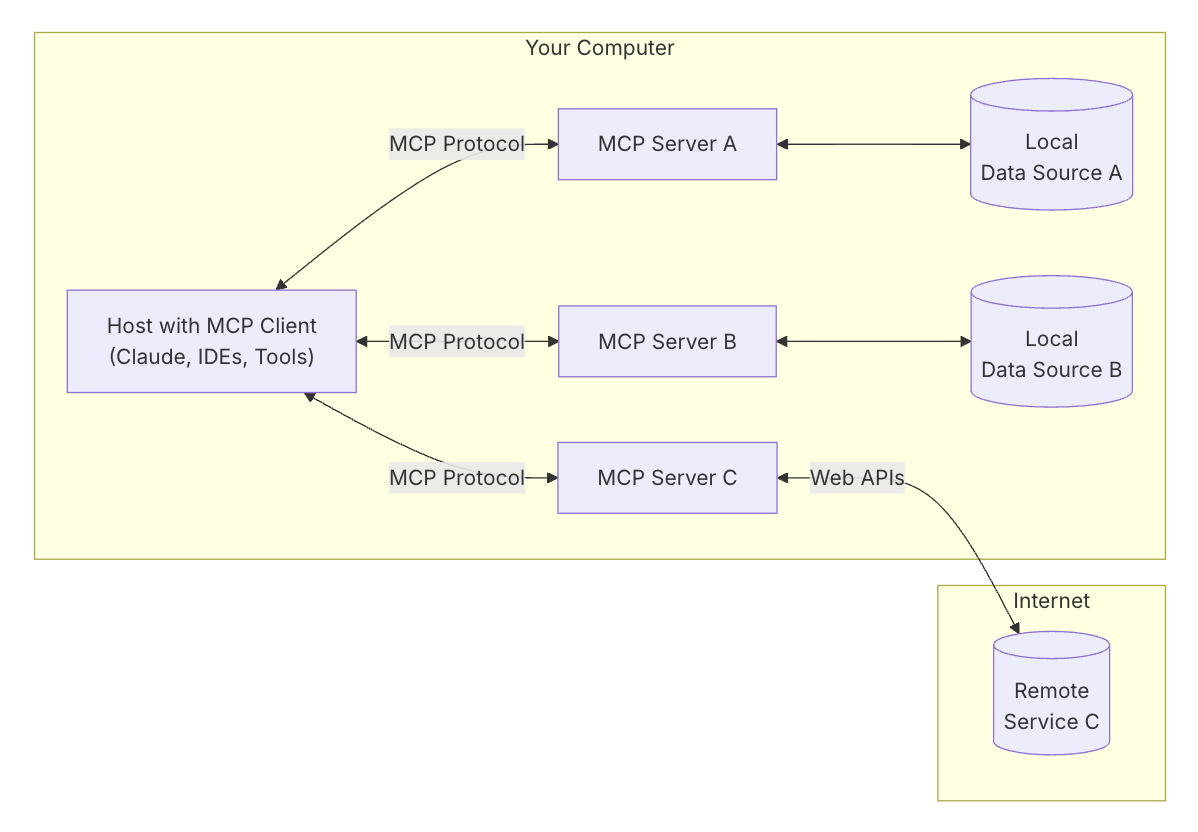
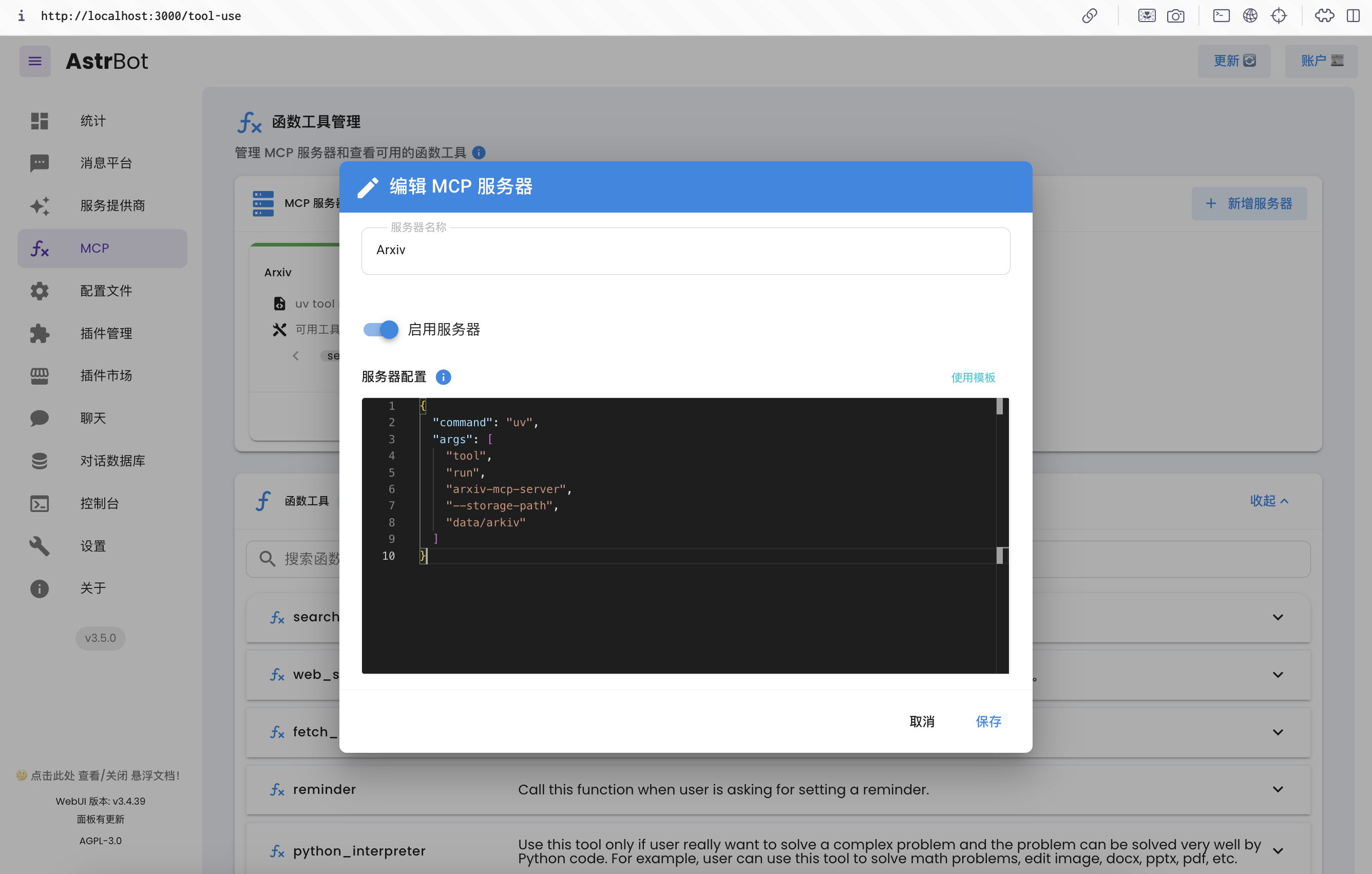
AstrBot v3.5.0 支持 MCP 协议,可以添加多个 MCP 服务器、使用 MCP 服务器的函数工具。
## 初始状态配置
MCP 服务器一般使用 `uv` 或者 `npm` 来启动,因此您需要安装这两个工具。
对于 `uv`,您可以直接通过 pip 来安装。可在 AstrBot WebUI 快捷安装:
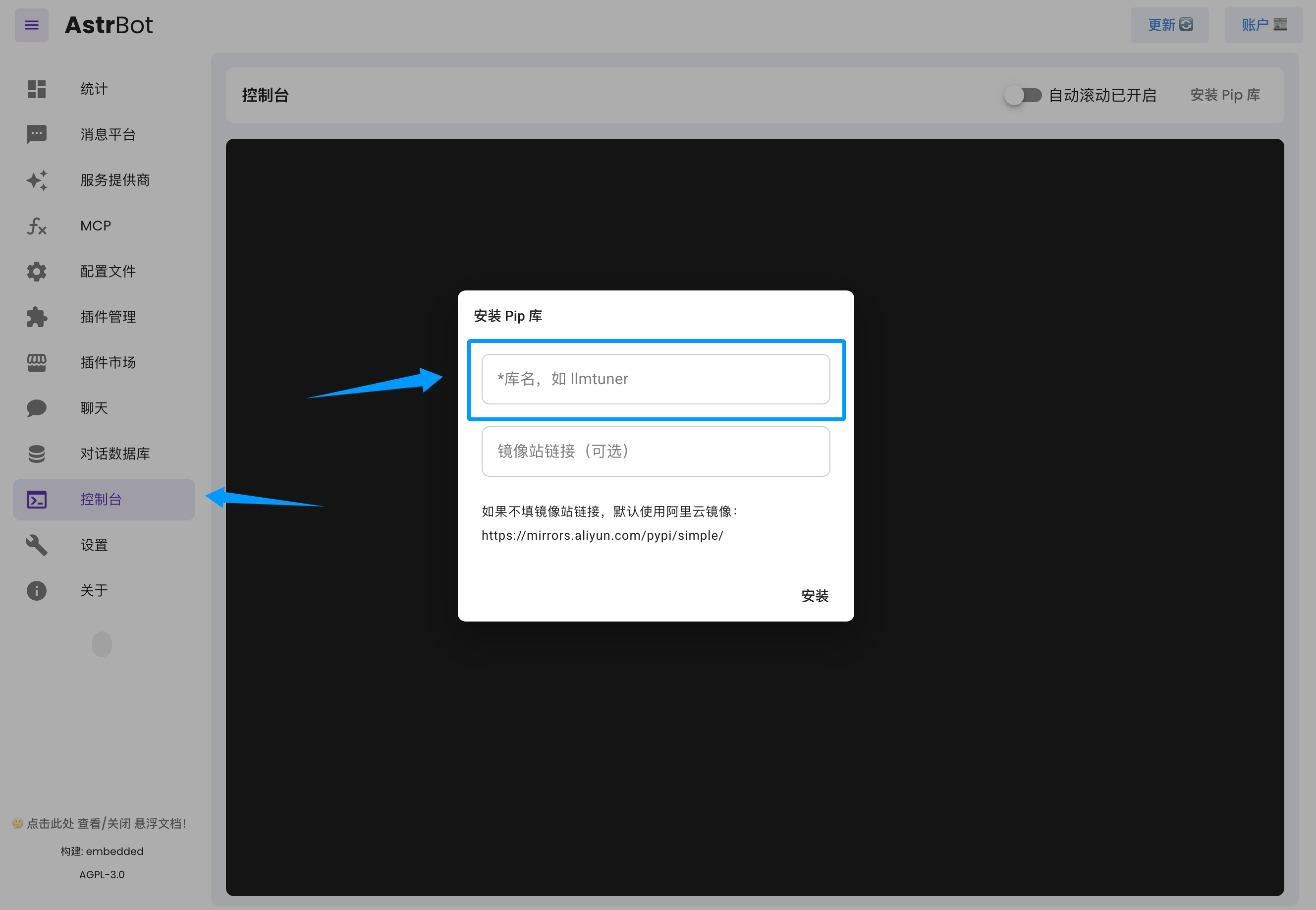
输入 `uv` 即可。
如果您使用 Docker 部署 AstrBot,也可以执行以下指令快捷安装。
```bash
docker exec astrbot python -m pip install uv
```
如果您通过源码部署 AstrBot,请在创建的虚拟环境内安装。
对于 `npm`,您需要安装 `node`。
如果您通过源码/一键安装部署 AstrBot,请参考 [Download Node.js](https://nodejs.org/en/download) 下载到您的本机。
如果您使用 Docker 部署 AstrBot,您需要在容器中安装 `node`(后期 AstrBot Docker 镜像将自带 `node`),请参考执行以下指令:
```bash
sudo docker exec -it astrbot /bin/bash
apt update && apt install curl -y
export NVM_NODEJS_ORG_MIRROR=http://nodejs.org/dist
# Download and install nvm:
curl -o- https://raw.githubusercontent.com/nvm-sh/nvm/v0.40.2/install.sh | bash
\. "$HOME/.nvm/nvm.sh"
nvm install 22
# Verify version:
node -v
nvm current
npm -v
npx -v
```
安装好 `node` 之后,需要重启 `AstrBot` 以应用新的环境变量。
## 安装 MCP 服务器
如果您使用 Docker 部署 AstrBot,请将 MCP 服务器安装在 data 目录下。
### 一个例子
我想安装一个查询 Arxiv 上论文的 MCP 服务器,发现了这个 Repo: [arxiv-mcp-server](https://github.com/blazickjp/arxiv-mcp-server),参考它的 README,
我们抽取出需要的信息:
```json
{
"command": "uv",
"args": [
"tool",
"run",
"arxiv-mcp-server",
"--storage-path", "data/arxiv"
]
}
```
如果要使用的 MCP 服务器需要通过环境变量配置 Token 等信息,可以使用 `env` 这个工具:
```json
{
"command": "env",
"args": [
"XXX_RESOURCE_FROM=local",
"XXX_API_URL=https://xxx.com",
"XXX_API_TOKEN=sk-xxxxx",
"uv",
"tool",
"run",
"xxx-mcp-server",
"--storage-path", "data/res"
]
}
```
在 AstrBot WebUI 中设置:
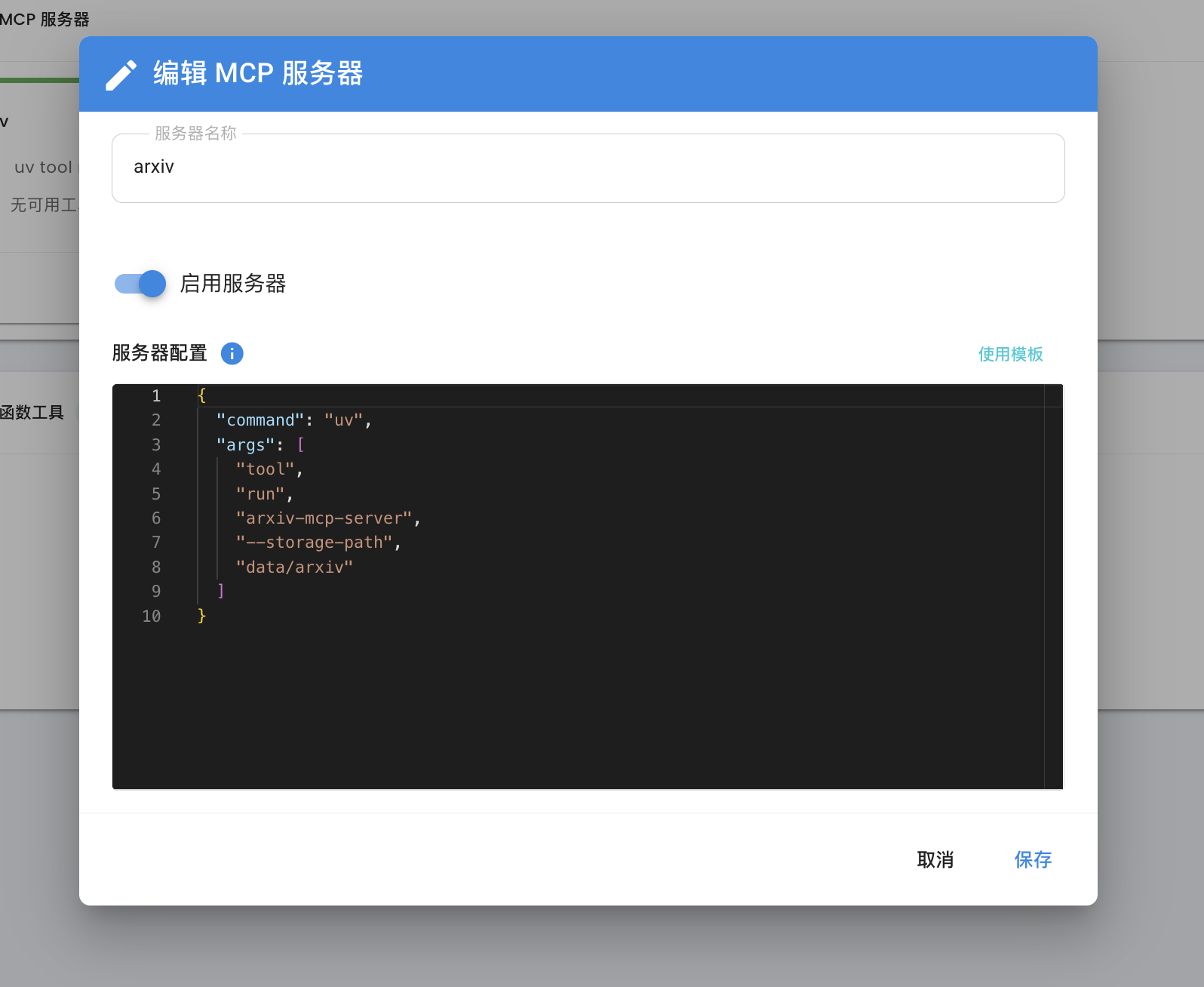
即可。
参考链接:
1. 在这里了解如何使用 MCP: [Model Context Protocol](https://modelcontextprotocol.io/introduction)
2. 在这里获取常用的 MCP 服务器: [awesome-mcp-servers](https://github.com/punkpeye/awesome-mcp-servers/blob/main/README-zh.md#what-is-mcp), [Model Context Protocol servers](https://github.com/modelcontextprotocol/servers), [MCP.so](https://mcp.so)
|