

File size: 1,684 Bytes
8ede856 | 1 2 3 4 5 6 7 8 9 10 11 12 13 14 15 16 17 18 19 20 21 22 23 24 25 26 27 28 29 30 31 32 33 34 35 36 37 38 39 40 41 | # NewAPI
[NewAPI](http://newapi.ai/) is a next-generation LLM gateway and AI asset management system built on top of One API. It provides a unified interface for managing and using multiple AI model services, including OpenAI, Anthropic, Gemini, Midjourney, and more.
AstrBot can integrate with NewAPI as a model provider, so you can access those model services through AstrBot.
## Setup Steps
### 1. Create a NewAPI API Key
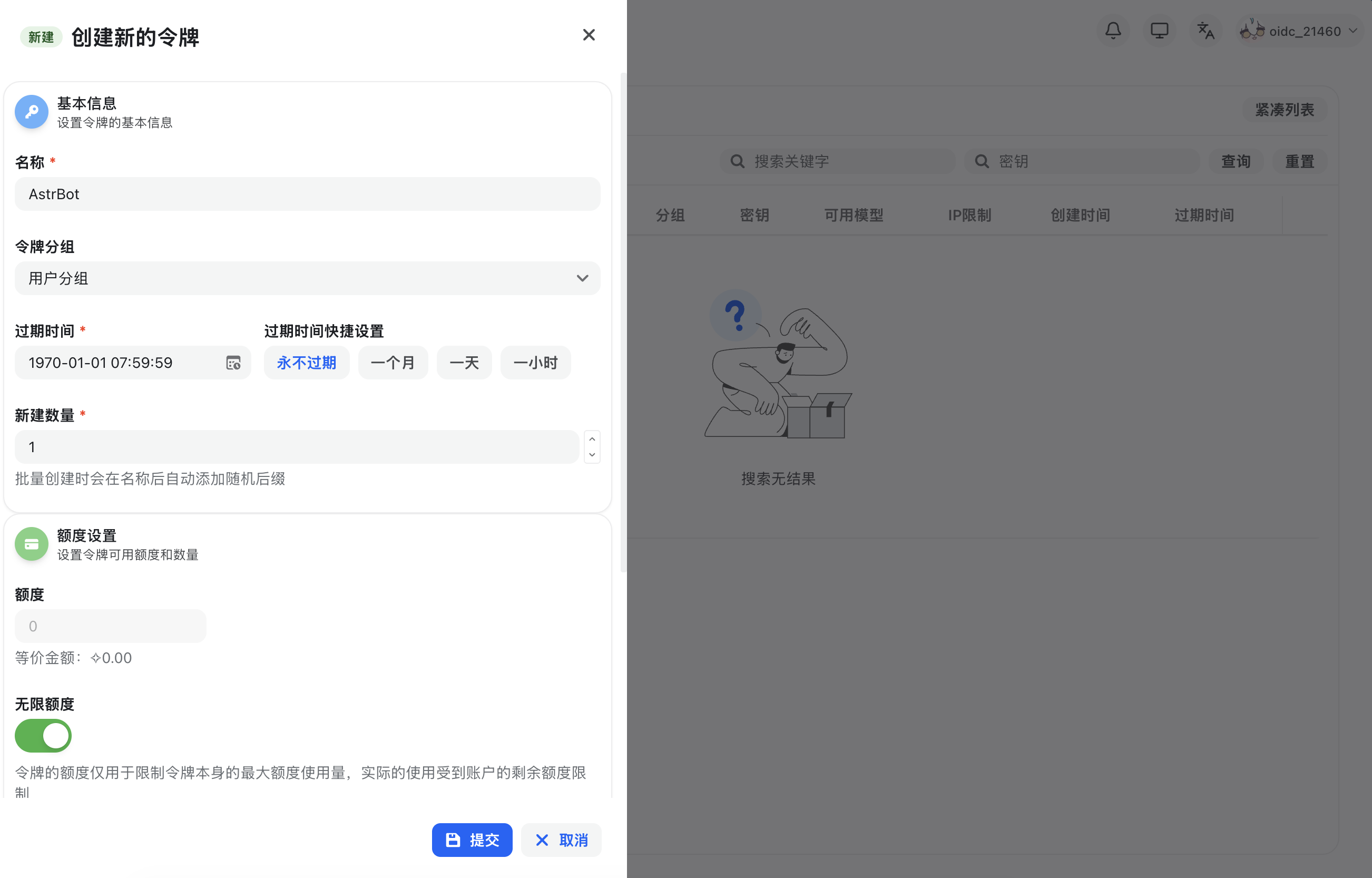
After registering and signing in to NewAPI, open `Console` in the top navigation bar, go to `Token Management`, then click `Add Token` to create a new API key with appropriate permissions.
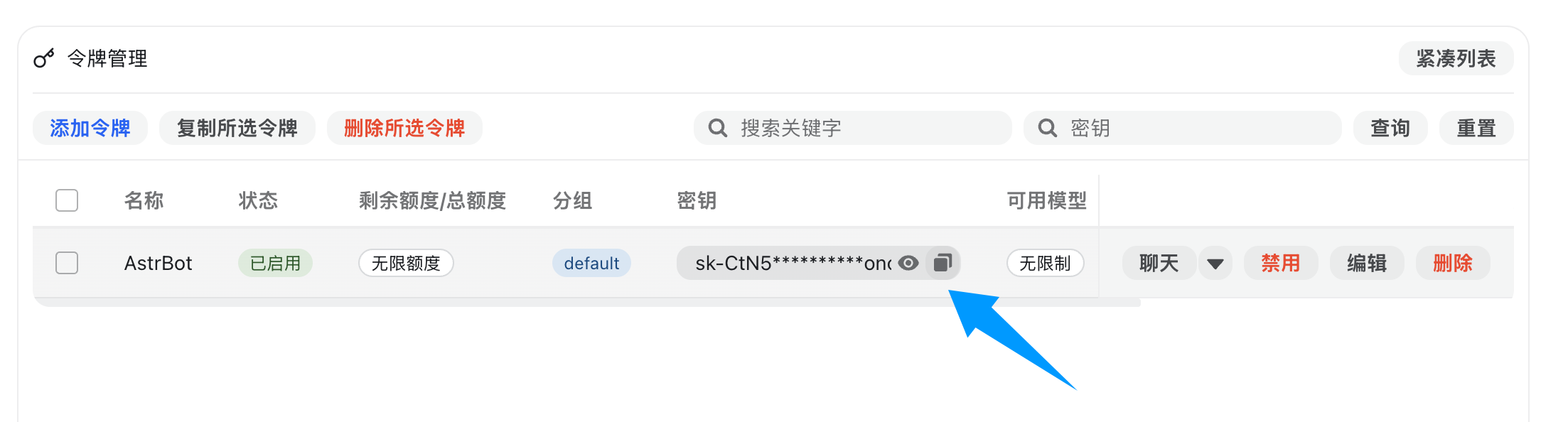
After creation, copy the generated API key.
### 2. Configure NewAPI in AstrBot
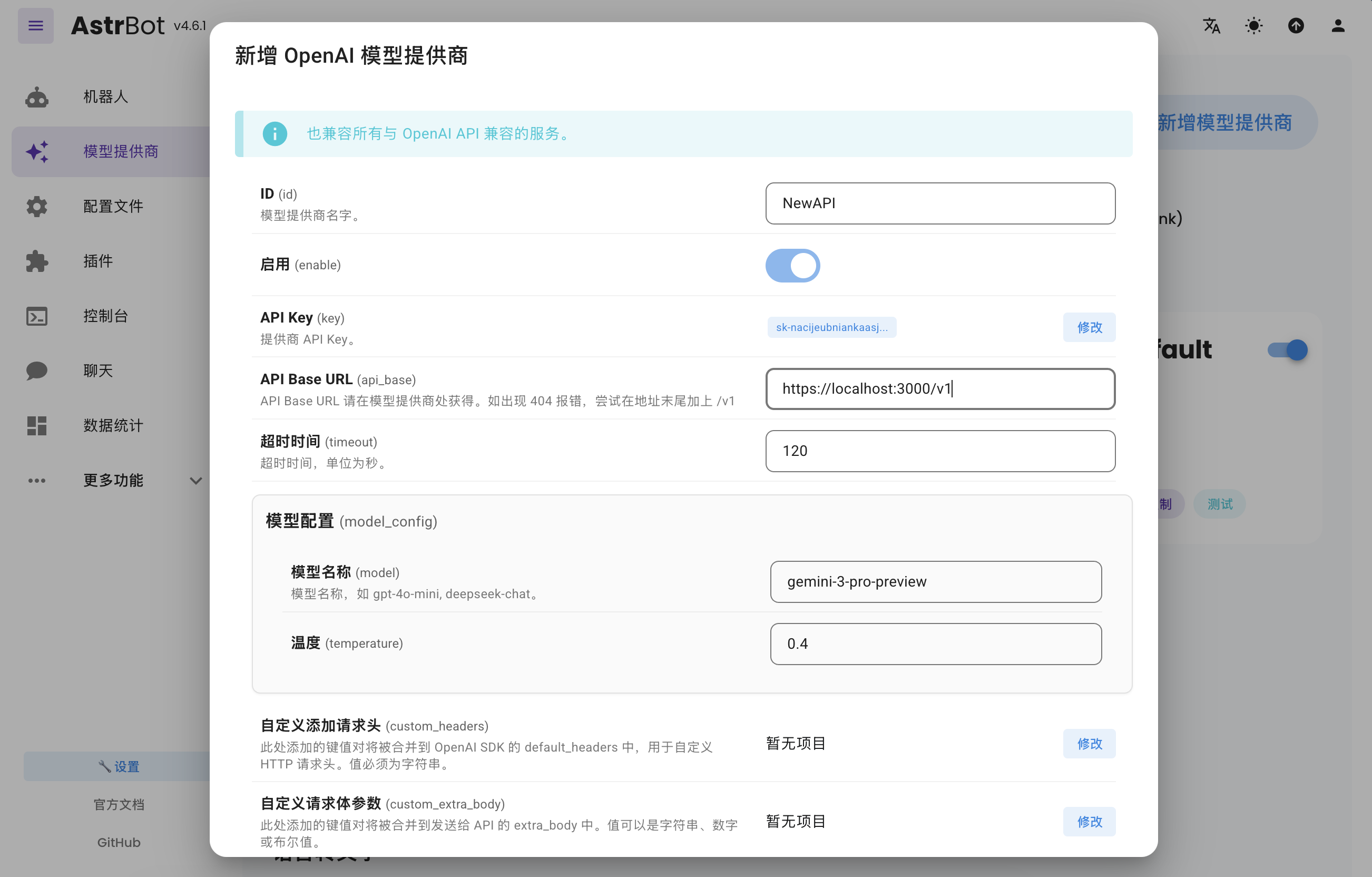
Open AstrBot WebUI, go to `Service Providers`, and click `Add Provider`.
NewAPI fully supports OpenAI Chat Completion and Responses APIs, so select `OpenAI` and open its provider configuration.
Set `API Base URL` to your NewAPI endpoint:
- Self-hosted NewAPI example: `http://localhost:3000/v1`
- Hosted service example: `https://api.example.com/v1`
Then paste your API key into `API Key` and click `Save`.
### 3. Apply the Provider
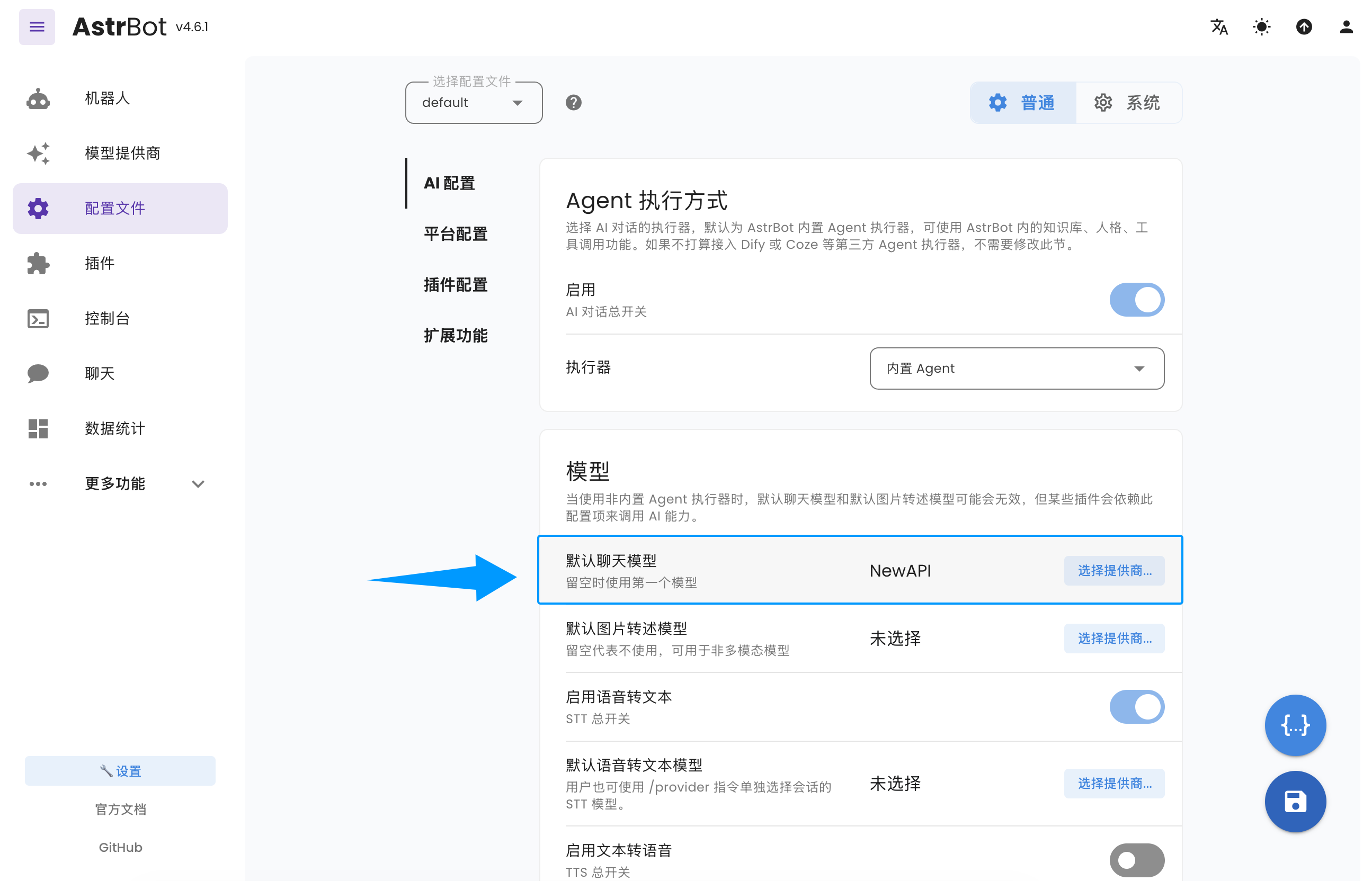
Go to `Configuration`, find the model section, set `Default Chat Model` to the NewAPI-based provider you just created, and click `Save`.
You have now successfully configured NewAPI as an AstrBot model provider.
|